mmWave Radar Modules
DFRobot C1001 mmWave Sensor
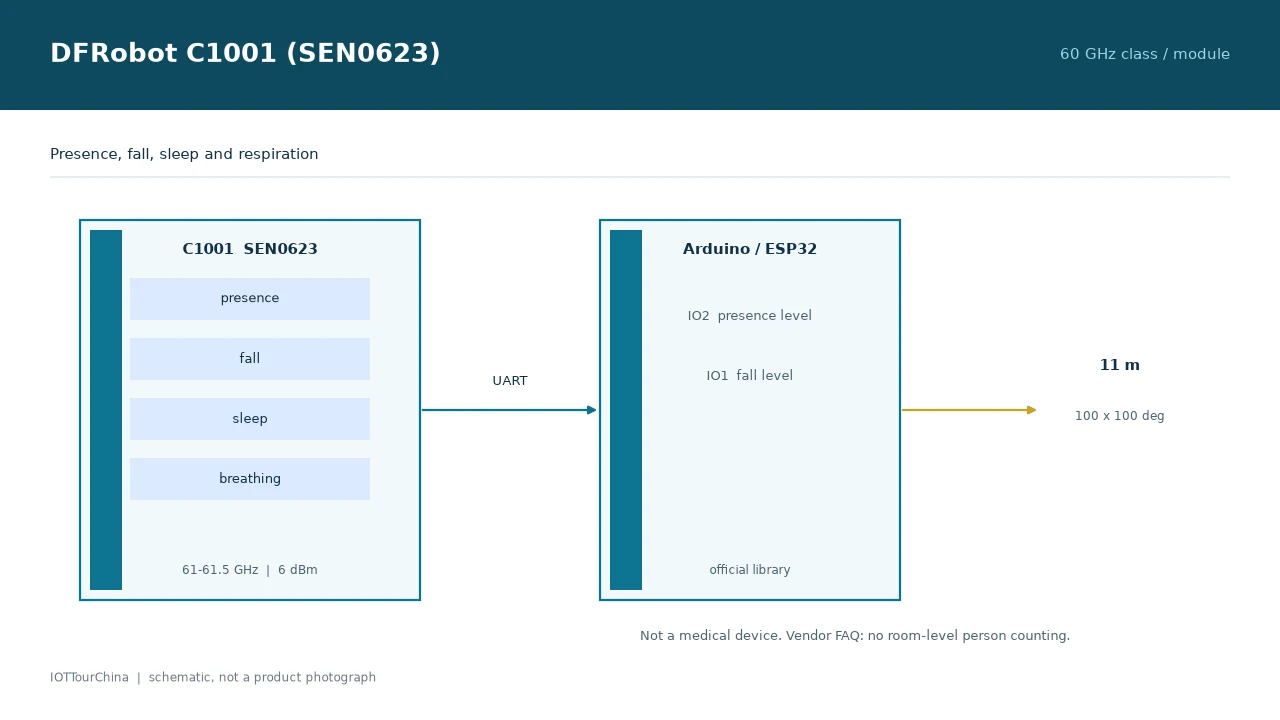
60 GHz class board reporting presence, fall status, sleep and respiration data over UART plus two level outputs.
Capabilities below are vendor-documented. We have not tested this device or its integrations.
Sources checked:
Also known as: SEN0623, C1001
Suitable projects
- Sleep and fall status reporting to an Arduino or ESP32 host.
- Presence and respiration experiments where a serial library is available.
Before you buy
- The official FAQ states the sensor cannot count people in a room.
- The vendor page carries a medical-use disclaimer; this is not a diagnostic device.
- No grant number is published on the wiki page.
Official resources
Related guides
- Fall-detection radar: the MR60FDA2 type
- Breathing and heart-rate radar: the MR60BHA2 type
- 24 GHz or 60 GHz radar: what the band actually changes
- Tuning distance gates to remove radar false triggers
- Radar output types and the data contract with your host
- From a radar module to a certified product
- Reading a mmWave radar datasheet: what each number actually allows
- Test a radar UART parser without the radar
- Operating frequency
- 61-61.5 GHz
- Transmit power
- 6 dBm
- Supply
- 5 V
- Current
- ≤100 mA
- Max detection distance
- 11 m
- Detection angle
- 100 x 100 degrees
- Sleep distance
- 0.4-2.5 m
- Breathing distance
- 0.4-1.5 m
- Breathing range
- 10-25 per minute
- Heart rate range
- 60-100 per minute
- Operating temperature
- -20 to 60 °C
Choosing the DFRobot C1001
This profile is based on official documentation, not our own device testing.
The C1001 is catalogued as SKU SEN0623. It is a 60 GHz class board aimed at Arduino and ESP32 hosts, with presence, fall, sleep, breathing and heart rate functions behind a UART and two level outputs.
Published specification
| Item | Value |
|---|---|
| SKU | SEN0623 |
| Operating frequency | 61-61.5 GHz |
| Transmit power | 6 dBm |
| Supply and current | 5 V, ≤100 mA |
| Maximum detection distance | 11 m |
| Detection angle | 100 x 100 degrees |
| Sleep distance (chest) | 0.4-2.5 m |
| Breathing and heart rate distance | 0.4-1.5 m |
| Breathing range | 10-25 per minute |
| Heart rate range | 60-100 per minute |
| Operating temperature | -20 to 60 °C |
| Pins | VIN, GND, RX, TX, IO2, IO1 |
The product name calls it a 60 GHz sensor while the specification gives 61-61.5 GHz. Both appear on the official wiki and neither should be silently rewritten into the other.
What the two IO pins mean
IO2 is a level output for human presence and IO1 is a level output for fall status. They let a host react without parsing the serial stream, but they carry no distance, no zone and no vital-sign values.
Choosing it
- The host is an Arduino or ESP32 board and a published library is available.
- Fall status, sleep reporting and respiration values are needed from one board.
- A simple level output is enough for a first prototype.
Limits stated by the vendor
The official FAQ says the sensor cannot count people in a room. DFRobot also carries a medical-use disclaimer on the product material. These are sensing outputs for prototyping, not diagnostic measurements, and the wiki lists no grant number.
Quick Start — DFRobot C1001
This profile is based on official documentation, not our own device testing.
This brings SEN0623 to a first presence and respiration report on an Arduino or ESP32 host.
1. Confirm the SKU
The official wiki page is SEN0623. Use the SKU printed on the board when selecting the library and examples.
2. Power and wire
Feed 5 V with at least 100 mA available. Connect VIN and GND, cross RX and TX to the host UART, and join grounds. Route IO2 for presence and IO1 for fall status if the host will use the level outputs.
3. Install the library
Use the library linked from the official wiki for your board family. The wiki publishes separate examples for sleep information, presence with respiration and heart rate, and fall information.
4. Start with presence
Run the presence example first and confirm that occupancy changes only when a person enters or leaves the field. This establishes the serial link before any of the slower vital-sign reports are interpreted.
5. Set the installation before fall sensitivity
The fall example exposes installation height and fall sensitivity. Set the physical mounting first, then tune sensitivity; reversing the order produces thresholds that only fit the test position.
6. Keep the ranges in view
The chest distances for sleep and for breathing are 0.4-2.5 m and 0.4-1.5 m. A subject outside those bands will not produce the figures the example expects.
FAQ — DFRobot C1001
This profile is based on official documentation, not our own device testing.
Is it a 60 GHz or a 61 GHz sensor?
The product name says 60 GHz and the specification says 61-61.5 GHz. We keep both because both are on the official wiki, and we do not resolve the difference on the vendor's behalf.
Can it count people?
No. The official FAQ states that the sensor detects whether an object is moving and cannot do room-level person counting.
Is it a medical device?
No. The vendor material carries a medical-use disclaimer. Respiration, heart rate and sleep scores are sensing outputs for prototyping, not diagnostic results.
What do IO1 and IO2 provide?
IO2 is a presence level and IO1 is a fall-status level. They are binary signals; distance and vital-sign values require the serial interface.