NEXT HMI: an open-source, self-hosted replacement for HMI/SCADA panels
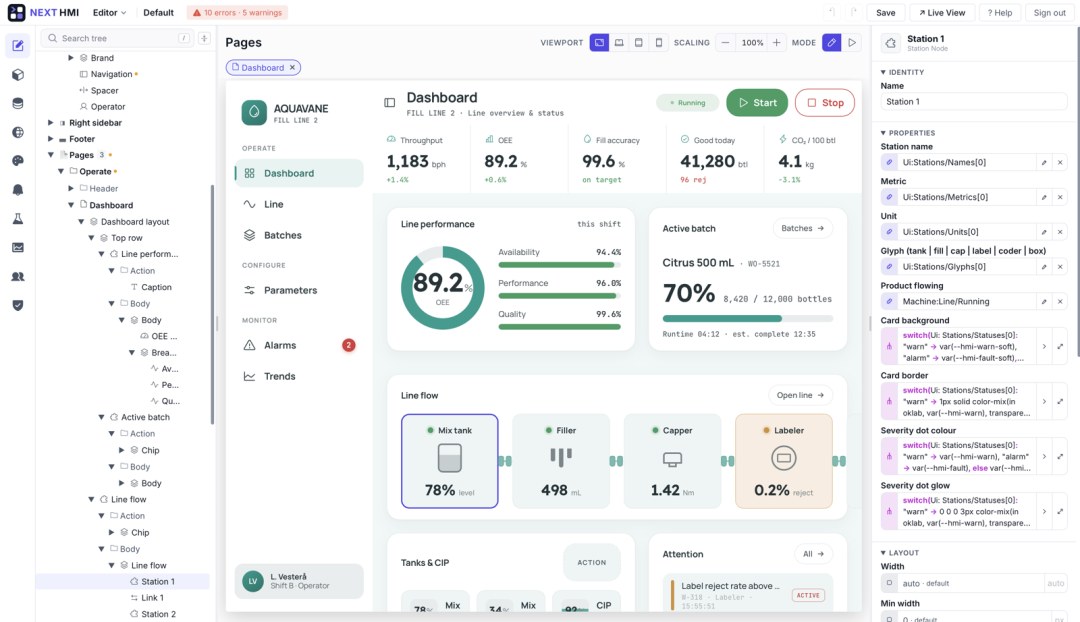
Walk into almost any workshop and look at the touchscreen bolted next to the production line. In 2026 the display logic, the visual style and the way it is operated still look very much like 2009.
The two pieces behind that screen have barely changed in twenty years. The HMI is the operator panel on the shop floor; the SCADA layer is the monitoring brain on the back end. One rung further up sit the configuration suites that the industry knows by name — KingView, ForceControl, WinCC, InTouch — the tools most plants have been building on for a decade or more.
Three things about that stack are hard to defend now.
Projects are opaque. A configuration project is a binary blob. You cannot open it with a double-click, you cannot read a byte of it, and you cannot meaningfully diff it — so there is no version control, only "final_v3_really_final".
It is priced by the point and by the seat. Connect 100 variables at one price, 1,000 at another; buy a copy for the engineer, another for the runtime, another for the operator's panel.
It leans on a physical key. A licence dongle — the little USB block on the back of the industrial PC — has to be present for the software to run, and has to be replaced if it is lost. Plenty of plants keep it tied down with a cable tie so nobody knocks it out.
None of this is a criticism of two decades of drivers, certifications and support built around that software. But in 2026 there is no good reason why a licence has to hang on a piece of plastic.
What NEXT HMI is
NEXT HMI takes the opposite approach. Its README opens with a line that is hard to argue with — "Your plant deserves better than a panel from 2009." It replaces a proprietary HMI/SCADA panel with a single self-hosted server:
- PLCs come in over OPC-UA;
- live operator screens go out to any browser;
- the whole project is stored as plain JSON and CSV your team can diff, review and version.
It is deliberately free of the commercial machinery of the category: no seat licences, no tag counts, no feature paywall. The historian, alarms with acknowledgement, recipes, users and permissions are all part of the build, and there is no licence check inside it.
Pages are built in the browser at /editor/<project>/ with a live preview, so there is no engineering workstation to install and no dongle to plug in. The same project folder opens on a laptop and runs on the line.
One codebase, two applications
The process model is the part most worth understanding. Where a typical tool runs everything in one process, NEXT HMI grows two applications out of a single codebase:
                 +-------------------------------------------+
   browser  -->  |  manager   (front door, no projects)      |
                 |  - password gate for the installation     |
                 |  - supervises child processes             |
                 |  - reverse-proxies requests to projects   |
                 +---------------------+---------------------+
                                       |
              +------------------------+------------------------+
              |                        |                        |
     +--------v--------+      +--------v--------+      +--------v--------+
     | project instance|      | project instance|      | project instance|
     | datasources     |      | datasources     |      | datasources     |
     | OPC-UA, alarms  |      | OPC-UA, alarms  |      | OPC-UA, alarms  |
     | WebSocket       |      | WebSocket       |      | WebSocket       |
     +-----------------+      +-----------------+      +-----------------+
A project instance serves exactly one project and owns that project's data sources, OPC-UA connections, WebSocket traffic and alarms. The manager stays resident at the front door, loads no project itself, and only guards the password, supervises the child processes and proxies requests through.
The practical consequence: three projects on one industrial PC is four processes, not one. Child lifetimes are handed to a supervisor with exponential-backoff restarts — but if a process restarts more than five times inside sixty seconds, a circuit breaker marks it crashed and stops. On a real line the worst outcome is a misbehaving component thrashing the whole machine until its resources are gone; NEXT HMI would rather halt and raise an error for an engineer than keep flapping.
OPC-UA done properly, and viewport-aware
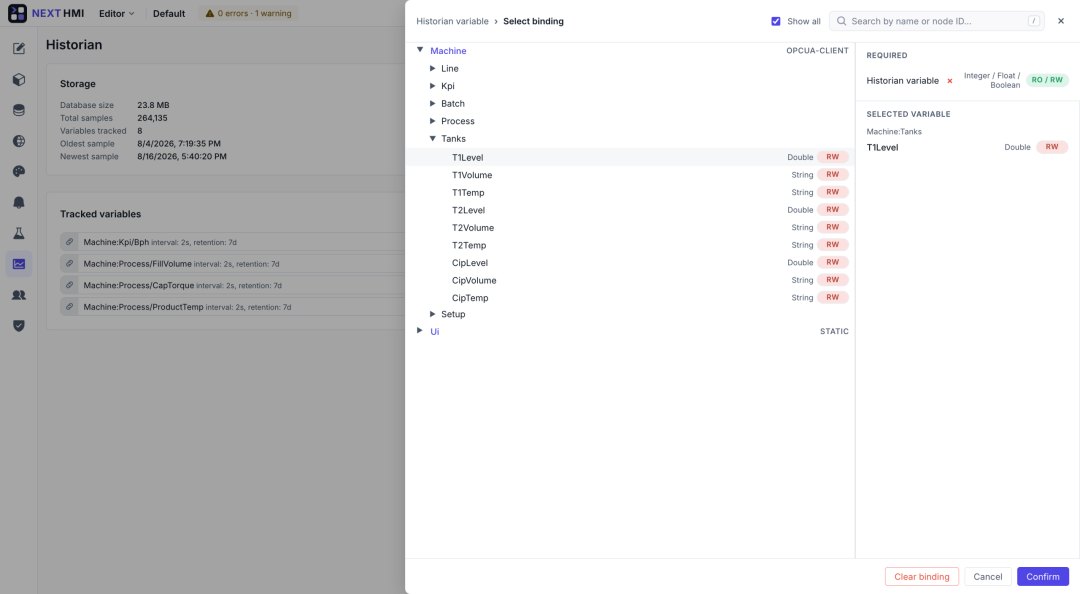
OPC-UA is to industrial data what HTTP is to the web, and it is the project's primary input. NEXT HMI drives it through a pool of asyncua clients that subscribe, write and browse.
The part that stands out is that subscriptions are viewport-aware. Each page tells the back end which variables it has bound, by sending a set_context message carrying a currentPageIds list. The server parses the variable references out of the page configuration — including references nested inside conditional expressions — and updates the OPC-UA subscription accordingly. There are hard ceilings to keep a frame bounded: up to 2,000 page IDs, 5,000 priority keys, and a 64 KiB frame cap.
Updates are pushed over two windows. Ordinary variable updates are batched at roughly 50 ms; the priority subscription leg defaults to 10 ms. That five-fold gap is exactly the difference between the handful of numbers an operator is staring at and the two thousand tags on the back end that nobody is watching.
There is a subtler detail on connect. The server first sends a metadata frame describing each variable's type, range and whether it is writable, then pushes cached values in blocks of 500. That frame is an authoritative replacement snapshot and must be re-sent on every reconnect — because swapping a PLC module changes the point structure, and a client holding stale metadata will happily write to a point that no longer exists. That kind of fault is worse than a crash: it does not raise an error, it just quietly writes to the wrong place.
Git-native projects and a scripting-free binding language
Because every artefact is JSON or CSV on disk, change control works the way it already does for code, and a project travels as a folder or a zip.
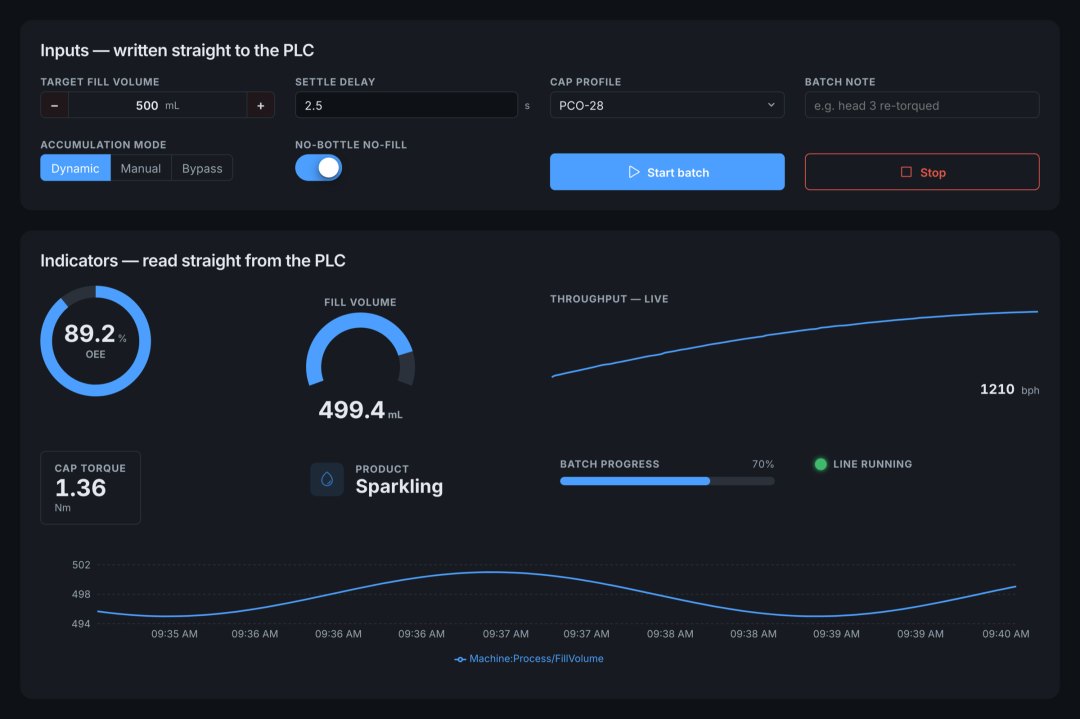
Binding a widget to data is handled by property sources — 27 composable sources such as $var, $if, $switch, $loc and $viewport that nest inside one another, so no property ever needs a script:
"color": {
  "$if": {
    "cond": { "$compare": [ { "$var": "PLC1:motor1.temp" }, ">", 120 ] },
    "then": "#e5484d",
    "else": "#2563eb"
  }
},
"label": { "$loc": "MotorSpeed" },
"value": { "$var": "PLC1:motor1.speed" }
Custom widgets follow the same philosophy: drop a .tsx file into custom-widgets/ and it hot-compiles, with no Node toolchain to install and no rebuild of the core.
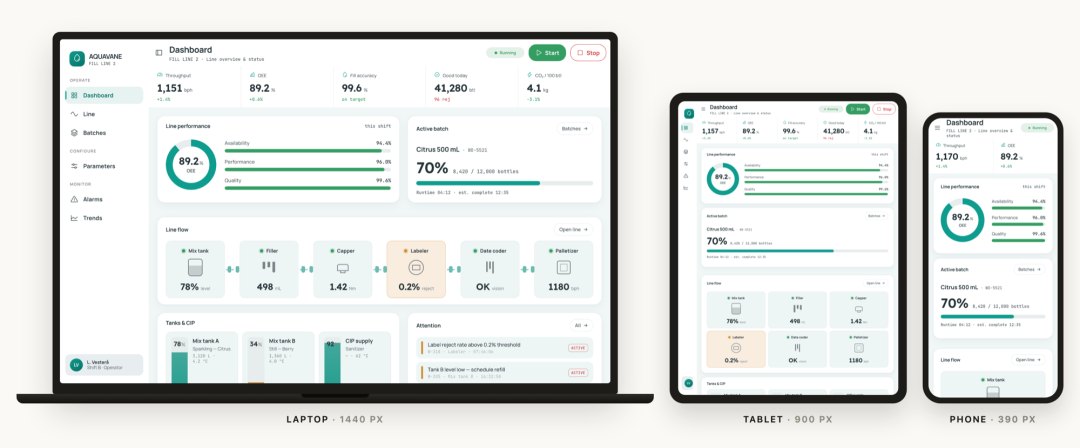
Pages are responsive by project rather than by duplication — one project branches its layout by viewport class, so the maintenance engineer's phone is not a second project to keep in sync. Theming works on the same principle: every built-in widget reads its colour, radius and spacing from theme tokens, so you swap the theme, not the pages.
The stack, and the tooling around it
The back end is FastAPI on uvicorn, built on Python 3.14 with a React front end (Node 22+). The OPC-UA work uses asyncua, pinned to the 2.0–3.0 range for a specific reason worth noting: version 2.0 is the first release whose serializer runs natively on Python 3.14, whereas the 1.x line still needed a hand-written ua_binary monkey-patch.
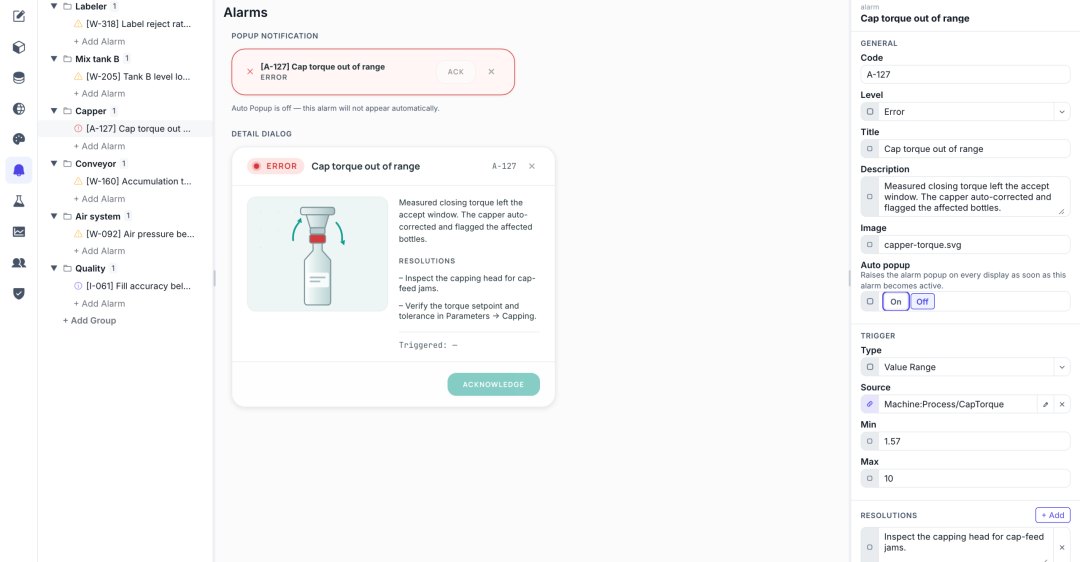
Two more dependencies say a lot about intent. An MCP server ships as a first-class part of the product, exposing 30-plus read and write tools so an AI agent can build and edit projects — with dry-run diffs guarding every destructive change. And tree-sitter is used to parse custom-widget .tsx source at compile time. Alongside them sit watchfiles, zeroconf, httpx and PyNaCl.
Getting it running
There are two entry points, and they share the same runtime and the same project folder, so what you try on a laptop is what runs on the line.
Servers, or anything with a container runtime, pull a multi-arch image (linux/amd64 and linux/arm64):
docker run -d --name nexthmi -p 8000:8000 -p 8443:8443 \
  -v nexthmi-data:/data ghcr.io/mpnvdlee/next-hmi:latest
Then open http://localhost:8000. Both ports are published on purpose: enabling HTTPS moves the app to 8443 and leaves 8000 redirecting to it. A docker compose up -d path is provided too.
For panel PCs and workstations there is a portable build — a zip of a few tens of megabytes (around 42 MB) for Windows x64 or Apple-silicon macOS. Unzip it anywhere writable and double-click the executable: no installer, no admin rights, no Python or Node on the host. The builds are unsigned, so Gatekeeper or SmartScreen asks once. There is no portable Linux build — on Linux, use Docker.
| Route | Best for | Notes |
|---|---|---|
| Docker image | Servers, anything containerised | Multi-arch amd64 + arm64; ports 8000/8443 |
| Compose file | Reproducible deployments | Binds ./project-data to /data |
| Portable zip | Panel PCs, Windows / macOS | No installer, no admin rights, no Python or Node |
| From source | Development | Python 3.14 (>=3.14.2, <3.15) and Node 22+ |
On first launch you set a single device-admin password on the manager dashboard. That one password gates the whole installation — the dashboard and every project's runtime and editor. A new project carries no accounts beyond an anonymous guest, and nothing ships with a default credential; real users are added from the editor's Users area. The seeded example project — a bottling line — gives you something to click before any PLC is connected.
Security and licence
It is worth repeating the project's own warning: NEXT HMI writes to PLCs and is meant to run on a trusted OT network behind a VPN, never exposed to the public internet. Read the network-placement and threat-model notes before putting it anywhere.
The whole repository is AGPL-3.0-or-later — no dual-licensed core, no per-file carve-outs, no licence check in the build, and no limit on operators or tags. Content you author — pages, themes, translations, datasources, custom widgets — stays your own work and is not covered by the copyleft, a carve-out written down explicitly in the project's licence-exception file rather than left to interpretation. A commercial licence is offered as the alternative for organisations that would rather not pass on source to third parties, and a separate proprietary enterprise build adds an audit trail for regulated plants.
Where it fits
Those plants have a large installed base of proprietary panels, and this is not a drop-in swap for a validated production line overnight. But the direction is clear: a self-hosted server, open project files and browser-based operator screens remove three of the oldest sources of lock-in and cost in industrial automation at once.
If you work in industrial control, IoT or shop-floor software, the fastest way to judge it is to run the seeded example project and connect an OPC-UA server you already have — that is the complete form. If you never touch a line, one line from the project's README is still worth remembering: the panel in your workshop has been sitting in 2009 for long enough. Someone has already started replacing it.
IOTTourChina covers open-source industrial and IoT software and China-made devices as part of its developer resource. Details should be confirmed against the project's official documentation.