modbus-pulse: an open-source .NET desktop app for Modbus data collection, live charts and Excel reports
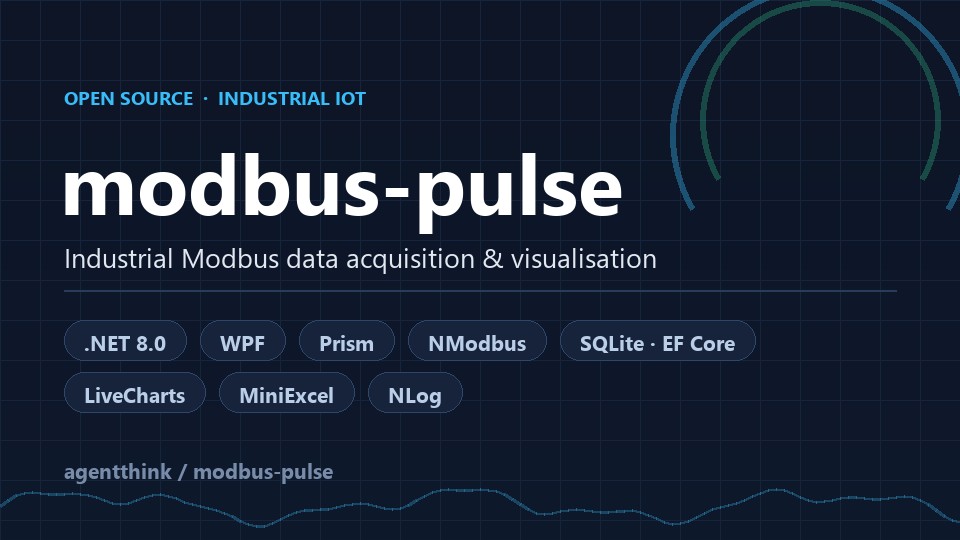
Reading a value out of a single Modbus device is a solved problem. Reading them out of a room full of devices, keeping the history, drawing the trends and putting the numbers in front of someone who wants a spreadsheet is where the work actually goes. modbus-pulse is an open-source Windows desktop application that closes that whole loop in one program: it polls Modbus devices, writes every reading to a local database, draws the trend as it arrives, and exports the result.
What modbus-pulse is
modbus-pulse is an open-source industrial data-acquisition and monitoring system for the Windows desktop, written in C# on .NET 8.0. The interface is built with WPF and MahApps.Metro, the application layer follows the MVVM pattern through Prism.Unity, and the result is a single desktop program rather than a web service — no server behind it, no browser tab, no cloud account to configure.
The repository is young. It was created in August 2026 and, at the time of writing, sits at roughly 12 stars and 6 forks with the commit history still at its initial import. That shapes how the rest of this page should be read: the design is complete and the code is carefully divided, but this is an early project rather than a hardened product. It also ships no licence file, which is covered under the caveats below.
What it does claim is a complete path from a register address on a field device to a curve on a screen to a row in a spreadsheet, without the operator writing the communication, storage, charting and export layers themselves.
The four jobs it covers
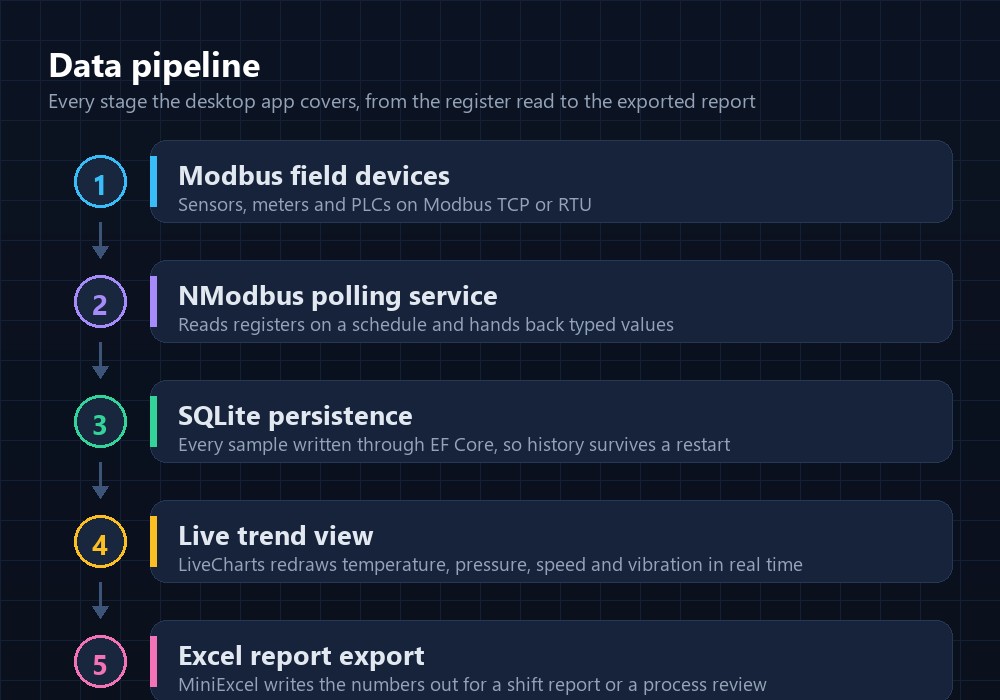
The project's own framing is the clearest way to describe it: four stages that a small industrial monitoring job always needs, each handled by one library.
| Stage | What it does | Library |
|---|---|---|
| Communication | Connects to devices over Modbus TCP or RTU and reads registers | NModbus |
| Storage | Persists every reading locally so history survives a restart | SQLite with EF Core |
| Visualisation | Redraws live trend charts for temperature, pressure, speed and vibration | LiveChartsCore |
| Export | Writes the collected numbers out for a report or a review | MiniExcel |
| Logging | Records what happened, to a file, for troubleshooting | NLog |
That is the whole argument for a tool like this: not that any single stage is difficult, but that doing all five by hand is a week of work that has nothing to do with the machine being monitored.
The technical choices
Every component is the conventional pick for its job in the Windows industrial-software world, which is deliberate — it is the stack a maintenance programmer is most likely to already know.
| Layer | Technology |
|---|---|
| Runtime | .NET 8.0 |
| UI framework | WPF with MahApps.Metro |
| MVVM and dependency injection | Prism.Unity |
| Database | SQLite with Entity Framework Core |
| Protocol | NModbus (Modbus TCP and RTU) |
| Charts | LiveChartsCore |
| Excel | MiniExcel |
| Logging | NLog |
None of these are exotic, and that is the point. NModbus handles the framing and the CRC so the developer does not hand-roll Modbus packets. Entity Framework Core handles entity mapping and migrations. MahApps.Metro supplies the dark, flat control set that industrial desktop software tends to use, so the interface does not have to be laid out from scratch. The value of the project is the assembly, not a novel component.
Inside the solution
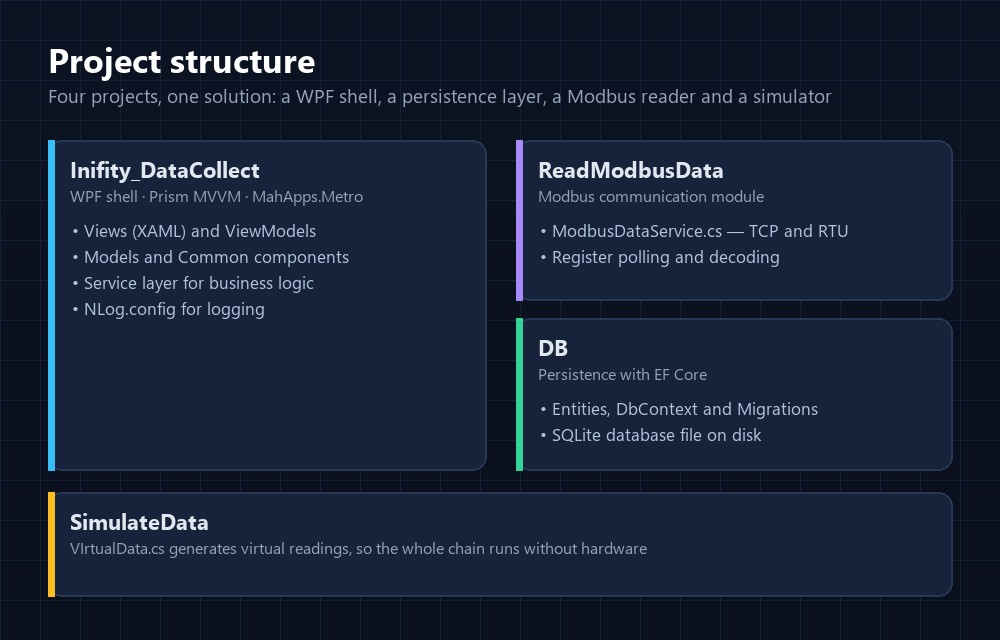
The solution is split into four projects, with the boundaries drawn where a newcomer would want them.
- Inifity_DataCollect — the WPF shell and the application entry point. It holds the views, the view models, the data models, the business services and the common components, plus the NLog configuration.
- DB — the persistence layer: Entity Framework Core entities, the data-access service, the migrations, the DbContext and the SQLite database file itself.
- ReadModbusData — the communication module, built around a
ModbusDataService.csclass that wraps the device conversation. - SimulateData — a simulator whose virtual-data generator is covered below.
Communication lives in its own project, storage lives in its own project, and the interface follows the Prism conventions. That is not a dramatic architecture, but it is the kind of separation that makes a code base approachable a few months later, which is where small internal tools usually fail.
What stands out
A simulator comes with it. The most practical feature for anyone evaluating the project is the built-in virtual-data module. It generates readings without a real PLC or instrument attached, which means the entire chain — communication, storage, charting and export — can be exercised on a laptop before any hardware is involved. For a field engineer who cannot keep a test rig on their desk, that is the difference between a useful trial and a blocked one.
Both Modbus flavours are covered. NModbus supports TCP and RTU, so devices reached over Ethernet and devices reached over a serial line are both in scope. In a real plant both are usually present, and needing two tools for the two is a common annoyance this avoids.
The database is one file. SQLite means no database service to install and no connection string to negotiate — the store is a file that can be copied, backed up or moved to another machine with it. For single-machine monitoring and workshop-level collection, that removes an entire deployment step.
The structure is documented. The repository lays out its folder-by-folder organisation in the README, which is a small thing that saves a disproportionate amount of time when you are deciding whether to fork it.
Who it is for
- Engineers in industrial automation or equipment maintenance who want a small, local data-collection and monitoring tool rather than a full platform.
- Teaching and laboratory setups, where the point is to show the complete path from Modbus register to WPF screen to chart.
- Anyone who wants a base to modify: the source is open, and the protocol handling, the storage format and the interface can all be changed to fit a particular installation.
How it compares
| Approach | What you get | Where it falls short |
|---|---|---|
| modbus-pulse | One self-contained Windows app for polling, storage, charts and Excel export, with a simulator | Windows-only, interface in Chinese, no licence file, early-stage code base |
| A commercial SCADA or configuration suite | Polished, supported, broad protocol coverage | Licence cost, and often far heavier than a small job needs |
| Node-RED plus a database and a dashboard | Very flexible, widely used, well documented | You assemble and then maintain three moving parts yourself |
| A hosted IoT platform | Remote dashboards and multi-device fleet management | The data leaves the site, and the useful tiers come with a bill |
The honest summary is that modbus-pulse competes on being small and self-contained. If a single Windows machine at the edge of a process needs to log some Modbus registers and show them to an operator, it is aimed exactly at that. If the requirement is many sites reporting to one place, a platform is the right answer.
The honest caveats
- There is no licence file in the repository. Without a LICENSE file, the default under copyright is that all rights are reserved, which means the terms for reusing, modifying or redistributing the code are not actually stated. The source is public, but "open source" in the licensing sense is not yet settled here. If you intend to build on it — especially commercially — raise it with the author and get the licence clarified first.
- It is Windows-only. WPF does not run on macOS or Linux, so a Linux edge box or a Mac workstation is out of scope. On a mixed estate, plan for a Windows machine wherever the collector runs.
- The interface is in Chinese. The screens and labels are Chinese throughout, and there is no localisation layer, so an operator who does not read Chinese will need either a translated fork or a different tool.
- It is early. Roughly 12 stars, 6 forks and a single initial commit describe a project at its very beginning. Expect unfinished edges, no test suite and rapid change; treat it as a promising starting point rather than something to depend on in production.
- This coverage is documentation-based. The assessment here comes from the project's repository and its published material, not from running the software against hardware. Verify the Modbus behaviour, the storage schema and the export format against your own devices before you rely on them.
Practical notes
- You will need the .NET 8 SDK to build it, and a Windows machine to run it. Confirm both before you plan around it.
- Start with the simulator. Because the project ships virtual data, you can complete a full trial — polling, storage, charts, export — before any device is connected. That is the fastest way to decide whether the shape of the tool suits you.
- Check the licence before you fork. The missing LICENSE file is the single most important thing to resolve if the code is going anywhere near a commercial product.
- Budget for the interface language. If your operators do not read Chinese, translation is work you will have to do yourself, or a reason to look elsewhere.
- Keep the scale in mind. An embedded SQLite file suits single-machine and workshop-level collection well; if the plan is long-term, high-rate archival across many sites, plan the storage strategy before the data starts to grow.
- Verify the export format against whatever the report has to feed into. An Excel export is only as useful as its column layout.
IOTTourChina covers open-source IoT, edge and industrial software from the China-made technology ecosystem as part of its developer resource. This is editorial coverage, not an endorsement or an advertisement; specifications, licence terms and supported hardware should be confirmed with the project before you rely on them.