Microduck: a $399 biped whose walk was learned, not written
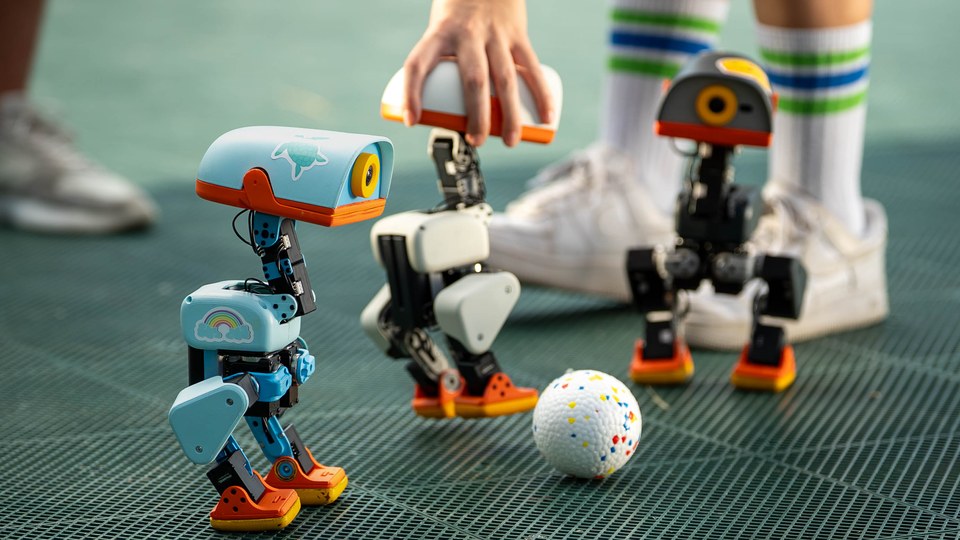
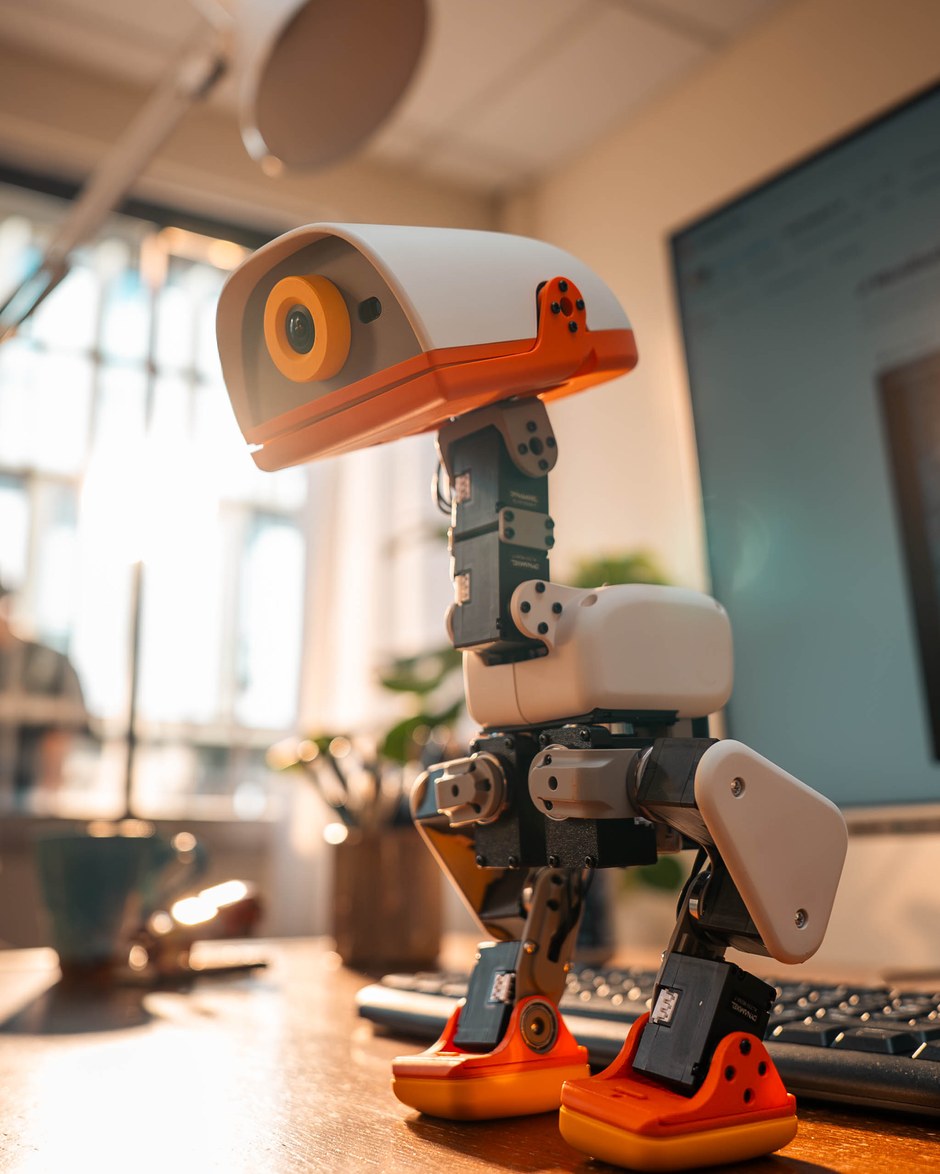
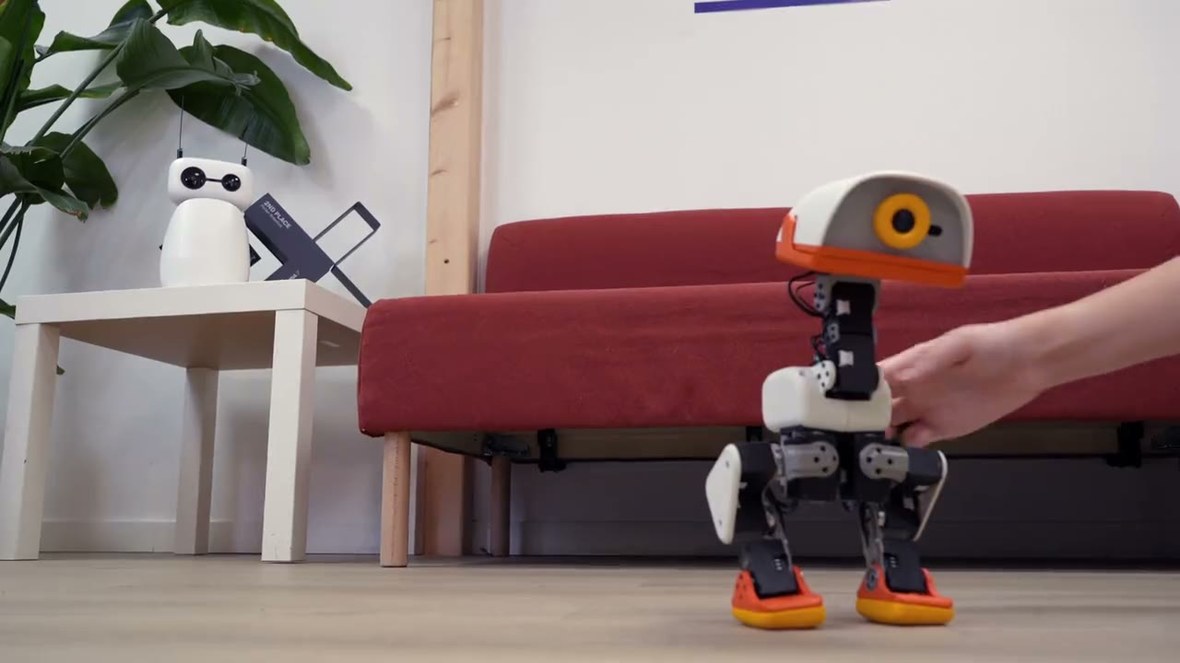
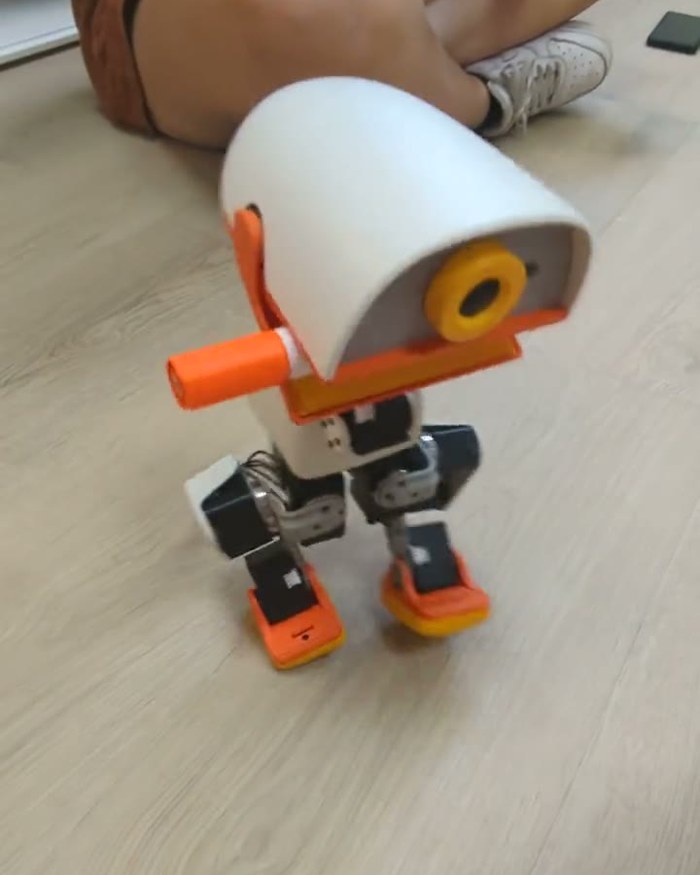
Legged robotics has been the expensive end of hobby electronics for a long time: a dozen precision servos, a real-time controller, and a control stack that took months to tune by hand. Microduck is the counter-example. It is a 25 cm biped that walks with a waddle, kicks a ball, picks things up with its beak, skates on clip-on wheels and gets itself back on its feet after a fall. Not one of those behaviours is a hand-written gait. Each is a neural policy, trained in physics simulation and shipped as a file the robot loads.
It comes from Pollen Robotics, the Bordeaux team that has been Hugging Face's robotics group since April 2025 and whose first consumer robot was Reachy Mini. Pre-orders opened on 27 August 2026, at an introductory price of $399 before tax and shipping, with first deliveries targeted before Christmas 2026 and sales limited to North America and Europe at launch. Hugging Face itself agreed to be acquired by NVIDIA for about $12.93 billion in September 2026, with the stated commitment that building on or deploying through the platform would not require NVIDIA compute.
For developers the interesting part is not the duck. It is the loop around it: a consumer robot whose behaviour can be trained on your own GPU, exported, published to a model hub, installed on someone else's unit and swapped while it is running.
What actually ships
| Size and mass | 25 cm tall, 14 cm wide, under 800 g |
| Compute | Rockchip RK3566 with an AI accelerator |
| Memory | 1 GB of RAM, 32 GB of storage |
| Actuation | 15 degrees of freedom across the legs, head and neck, on one Dynamixel bus |
| Vision | a front camera with its own camera-use indicator |
| Range sensing | a compact LiDAR, an 8 x 8 time-of-flight matrix in the head |
| Motion sensing | two IMUs, one in the body and one in the head |
| Interaction | an articulated grasping beak, two NFC antennas, microphones and a speaker |
| Radio | Wi-Fi and Bluetooth |
| Power | a removable NP-F550 pack, 2600 mAh, around an hour of runtime |
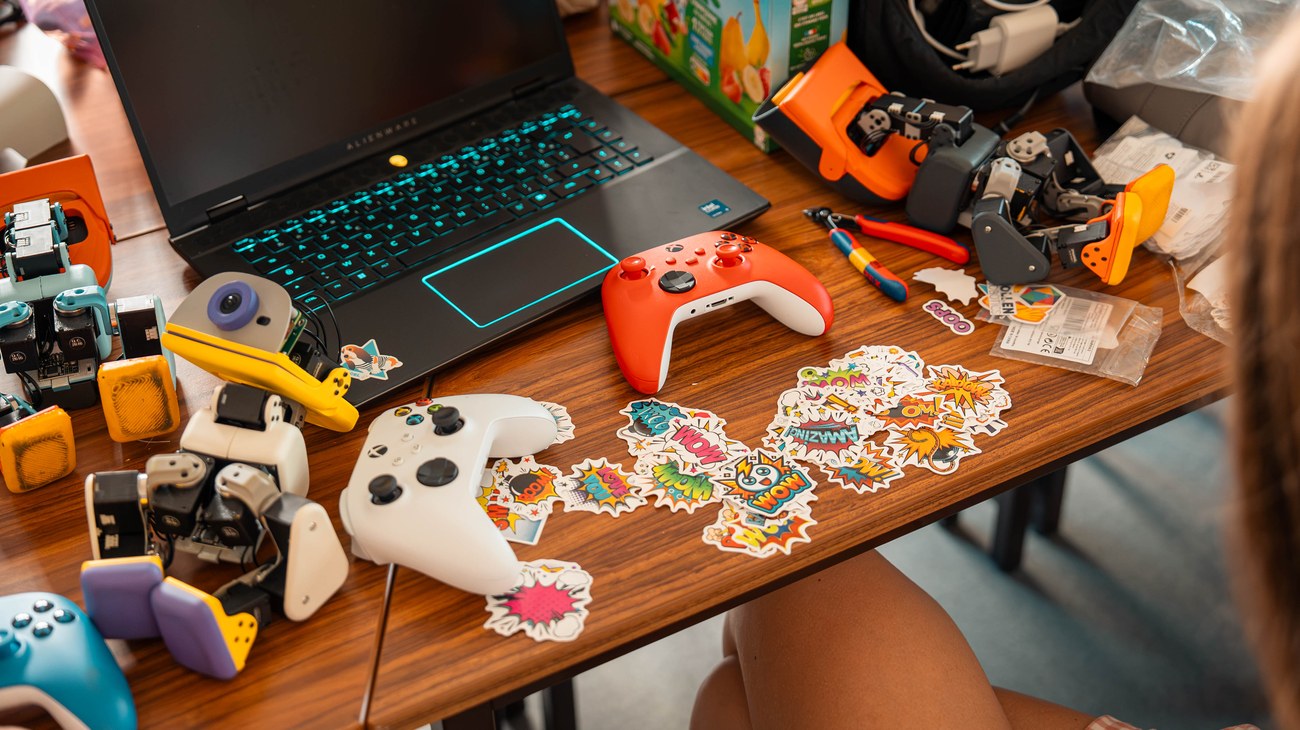
| In the box | the robot, a battery, a USB-C cable and a game controller |
The vendor counts seven trained moves in the box and a 50 Hz onboard policy loop. Four shell colours exist at launch, and they are cosmetic: the same robot and the same policies sit underneath. The robot is playable with the bundled controller before you write a line of anything.
The open-source claim, read carefully
Three licence facts, and they do not all point the same way.
- The software stack is Apache-2.0. The control system, the simulation and the full reinforcement-learning training pipeline are on GitHub, and every shipped move is published so that it can be retrained.
- The hardware is not open. The mechanical and electronic design files are not released. The vendor is explicit about this and asks that the robot not be described as open-source hardware.
- The simulation meshes are not Apache-2.0. The STL files you need in order to train in physics simulation are licensed CC BY-NC-SA 4.0: attribution, non-commercial, share-alike.
The third point matters if you are prototyping a product rather than a hobby project. A permissive control stack does not give you permissive rights to the geometry it simulates, so read the model licence before you plan around it.
Seven daemons on one serial bus
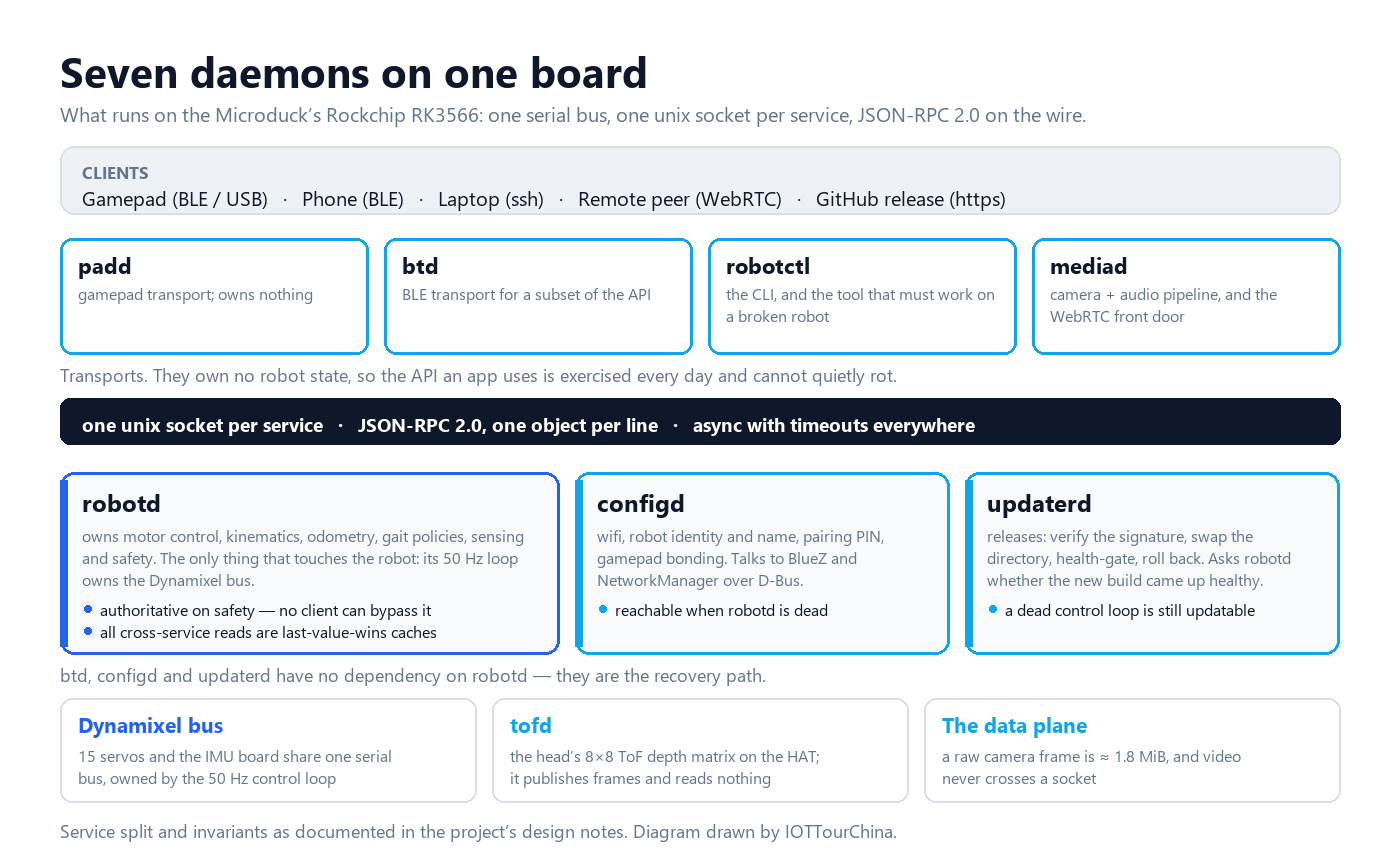
The robot runs Linux on the RK3566, and the onboard software is split into seven services that talk over unix sockets using JSON-RPC 2.0, one object per line. The split is not cosmetic. The robotd daemon owns the 50 Hz control loop, the kinematics, the odometry, the gait policies and safety, and it is the only process that touches the robot: fifteen servos and the IMU board share a single serial bus, and the loop owns it. Clients do not command the robot, they send intents, and the safety layer inside that daemon decides what is executable. Fall detection, joint and thermal limits and safe-pose logic cannot be bypassed by any client, local or remote.
The rest of the split is about failure. The configd daemon holds the Wi-Fi credentials, the robot's name, the pairing PIN and the gamepad bonding, because those are exactly what you need when the control loop will not start. The updaterd daemon installs releases. Around those sit four supporting services: btd carries a subset of the API over Bluetooth for the phone app, padd reads the gamepad, mediad owns the camera and audio pipeline and the WebRTC front door, and tofd publishes the head's depth matrix and nothing else.
Two decisions are worth stealing. First, the Bluetooth, config and update services deliberately have no dependency on the control daemon, so a robot whose control loop is dead can still be reconfigured, updated and rolled back. Second, the control plane and the data plane are kept apart: commands and status are small JSON objects over a socket, while video never crosses one, because a raw camera frame is roughly 1.8 MiB.
Even the depth sensor gets its own process, for a reason that is easy to miss. Bringing up a VL53L5 or VL53L8 time-of-flight sensor uploads about 90 KB of firmware over I2C, which takes seconds, and that bus is shared with the audio codec. A retry loop for that does not belong in the process that owns the motors.
How a behaviour is actually made
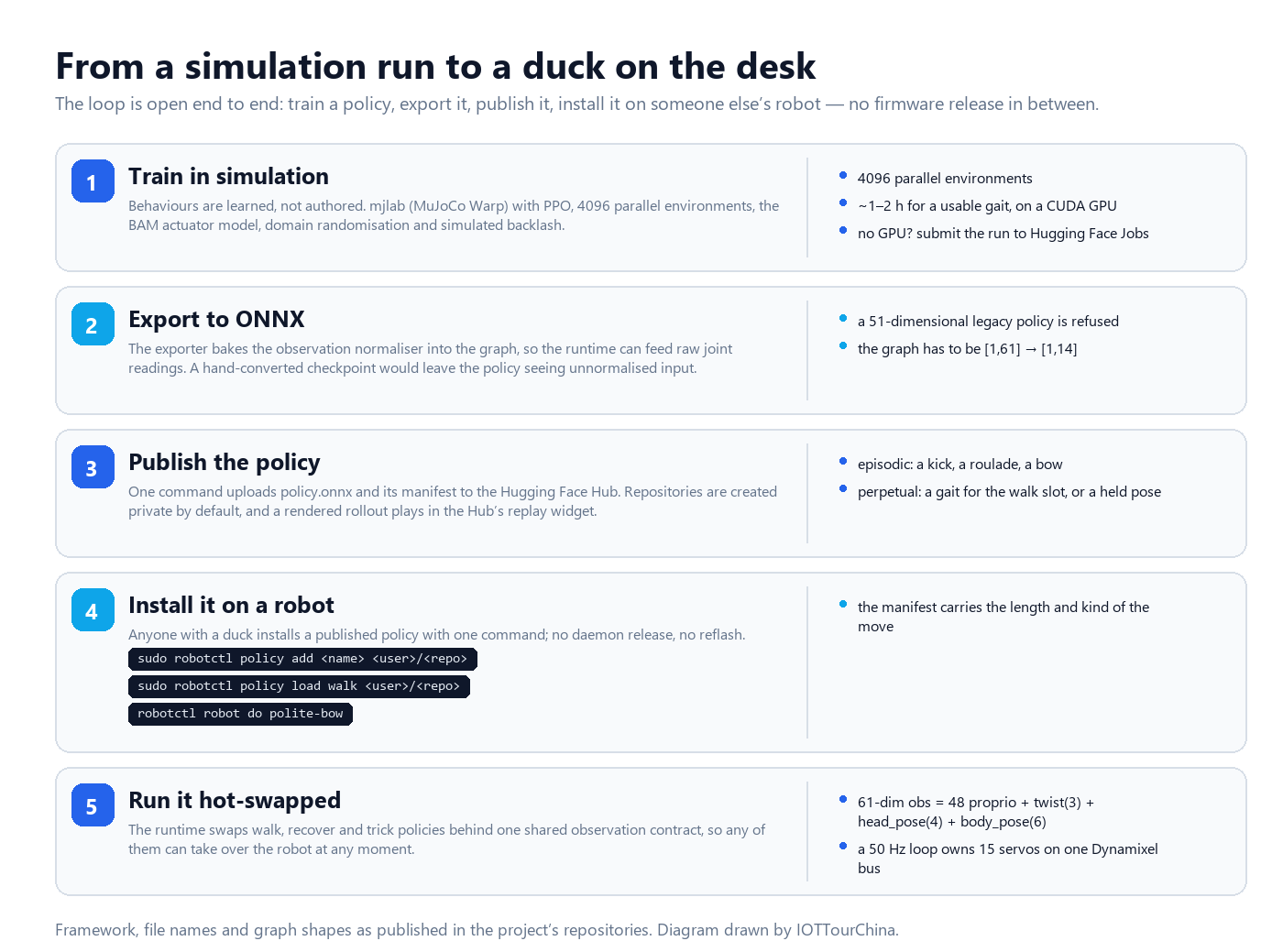
Policies are trained in a separate repository built on mjlab, which pairs MuJoCo Warp with PPO. The published quickstart asks for 4096 parallel environments and reports roughly one to two hours on a CUDA GPU for a usable walking gait. On a machine without that GPU, the same command can be submitted to Hugging Face Jobs instead.
What makes the transfer work is less the algorithm than the actuator model. The training environments use BAM actuator physics, which models voltage control with load-dependent friction, plus domain randomisation and simulated backlash, so the policy does not learn to depend on a perfect servo. The task list is a good map of where legged robots are hard: velocity tracking with head-pose commands, standing up from face-down and face-up, sitting and standing on command, crouching to touch the ground with the tip of the beak, kicking a 70 mm, 15 g ball with an actor that cannot see the ball, a forward roulade that lands back on the feet, and a family of roller-skating tasks on passive wheels.
One trap is worth repeating before you deploy anything. The export step bakes the observation normaliser into the ONNX graph, so the runtime can feed raw joint readings. Deploy the ONNX produced by the export script rather than a checkpoint you converted by hand, or the policy will run on unnormalised observations and behave like a different robot.
Publishing and installing a policy
The publish command uploads a policy to the Hugging Face Hub in the shape the robot's daemon expects: one ONNX file, a manifest, and a README saying how to run it. Repositories are created private by default.
Before uploading, the tool checks that the graph is 61 inputs to 14 outputs, runs it on plausible inputs and refuses NaN or constant output. It also refuses to overwrite an existing file without an explicit force flag. Policies come in two kinds:
- Episodic. Runs for a fixed duration and returns to a standing pose. A kick, a roulade, a bow.
- Perpetual. Runs until it is told otherwise. Either a gait that takes over the walk or stand slot, or a held pose that needs a defined unwind time before the gait gets control back.
Installing a published policy on a robot is one command, and no daemon release is involved:
sudo robotctl policy add <name> <user>/<repo>
sudo robotctl policy load walk <user>/<repo>
robotctl robot do <name>
The runtime can hold walking, recovery and trick policies at the same time, because they share one 61-dimensional observation contract: 48 proprioceptive values plus a twist command, a head pose and a body pose. That shared layout is what lets any of them take over the robot at any moment.
What it does that a toy does not
A few details suggest the team thought about the robot as a system rather than a demo.
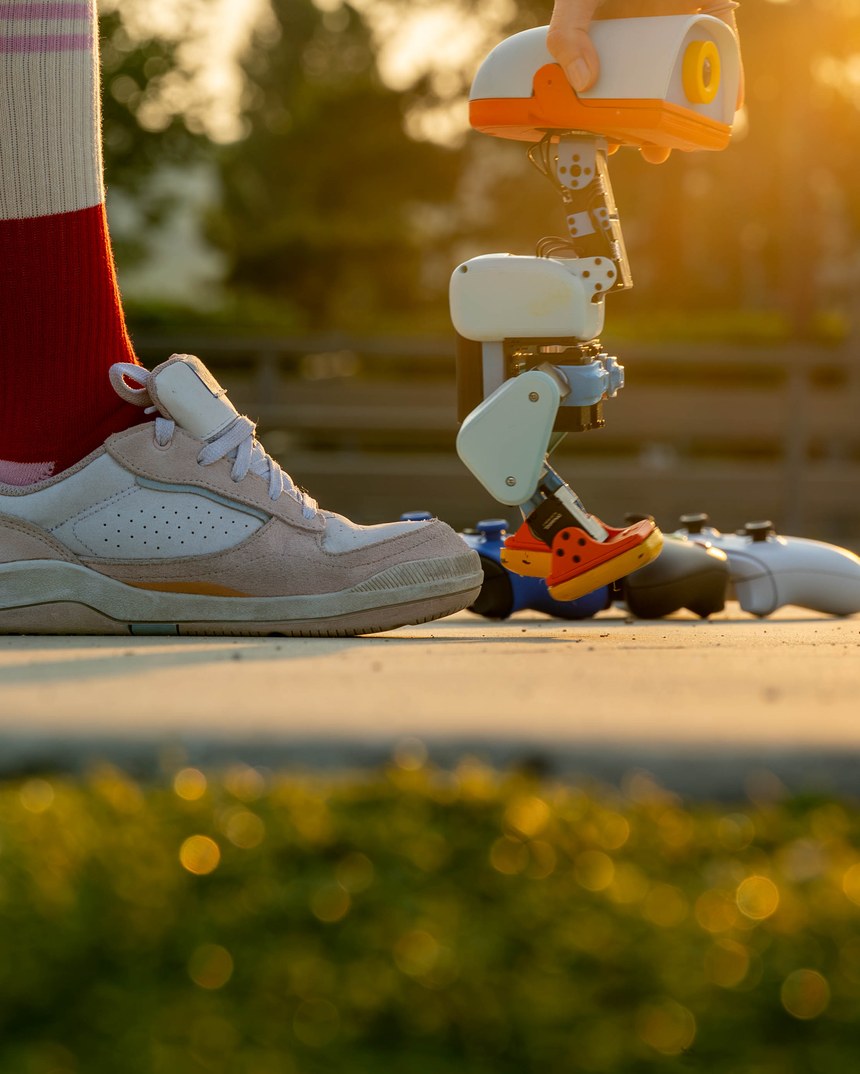
- It knows when it is being carried. About 0.2 seconds after it is lifted, the legs settle into a standing stance and stay there however you hold it; about 0.2 seconds after it is set down, the policy takes it back. The classifier was trained in simulation only, the feature is on by default, and the state is reported through one field:
safety.picked_up. - It keeps a medical record. The vet book counts hours awake with torque, metres walked, falls, pickups, and per joint the torque hours, shaft travel, current and heat, along with every latched overload, overheat, shock or encoder trip. Swapping a servo writes itself into the diary.
- Two of them will sing together. The chorale command has ducks in the same room sing a four-part piece with no leader: they see the same beacons and the lower identity conducts. It is off by default, because a duck that started animating whenever another walked in would be moving without being asked.
- The depth sensor is also an instrument. The theremin command turns a hand in front of the beak into pitch, closer being higher, and opens the mouth as the note rises.
- Updates cannot brick it. A release lands as a whole directory, its signature is verified, and then the current symlink is moved and services restarted. The updater asks the control daemon whether the robot came up healthy and, if it did not, puts the previous release back on its own.
For anyone building on the platform, the most useful tool is the monitor. It draws the robot posed by its measured joint angles and tilted by its IMU, names the safety limit that is holding a command back instead of merely showing that the robot is not moving, plots the achieved loop rate as a trace, and paints the depth returns into the same scene. It can even draw the odometry track in braille, which answers whether the robot walked in a circle rather than where it is.
Before you pre-order
- Several specifications are explicitly provisional. Camera resolution and field of view, LiDAR range, radio versions and SDK languages were all still being finalised at the time of writing.
- It is a desk robot. Around an hour of runtime from a 2600 mAh pack, and the launch markets are North America and Europe.
- It is not a training machine. The RK3566 runs trained inference at 50 Hz. A new behaviour needs a CUDA GPU or a cloud job, and that budget is separate from the robot.
- Servos are consumables. A legged robot stalls constantly while it learns to walk. The vendor's developer pack includes three spare motors, motor cables, extra batteries, a dual charger and NFC tags.
- Open-source software, closed hardware. If you need the mechanical design files, or commercial rights to the simulation meshes, this is not that product.
- Prices and dates move. The $399 figure is an introductory price before tax and shipping, and the delivery window is a target rather than a commitment.
IOTTourChina covers open-source IoT and robotics projects and the hardware and silicon behind them as part of its developer resource. This is editorial coverage, not an endorsement or an advertisement; specifications, availability and pricing should be confirmed with the vendor or the project before you buy.