Fieldwatch: a receive-only Android scanner that watches the Wi-Fi and Bluetooth radios around you
What it is
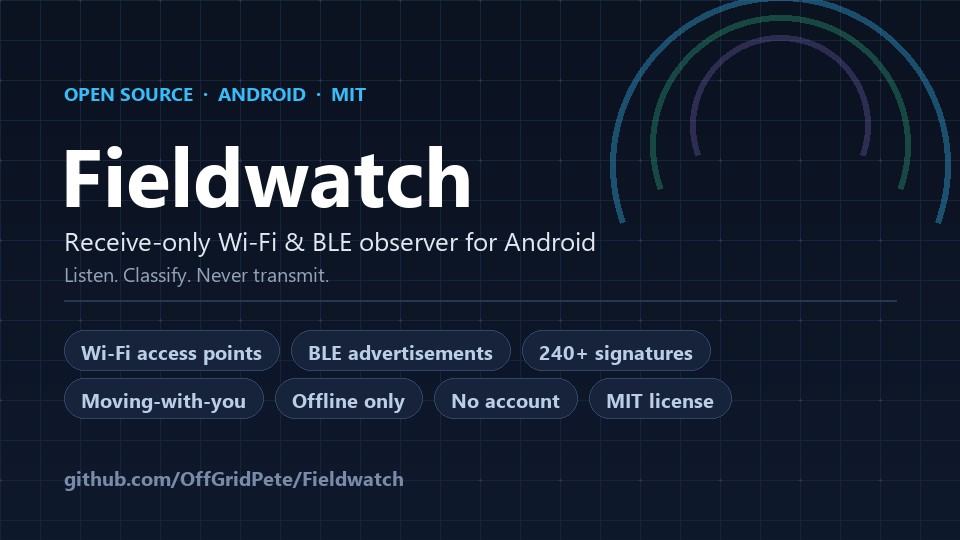
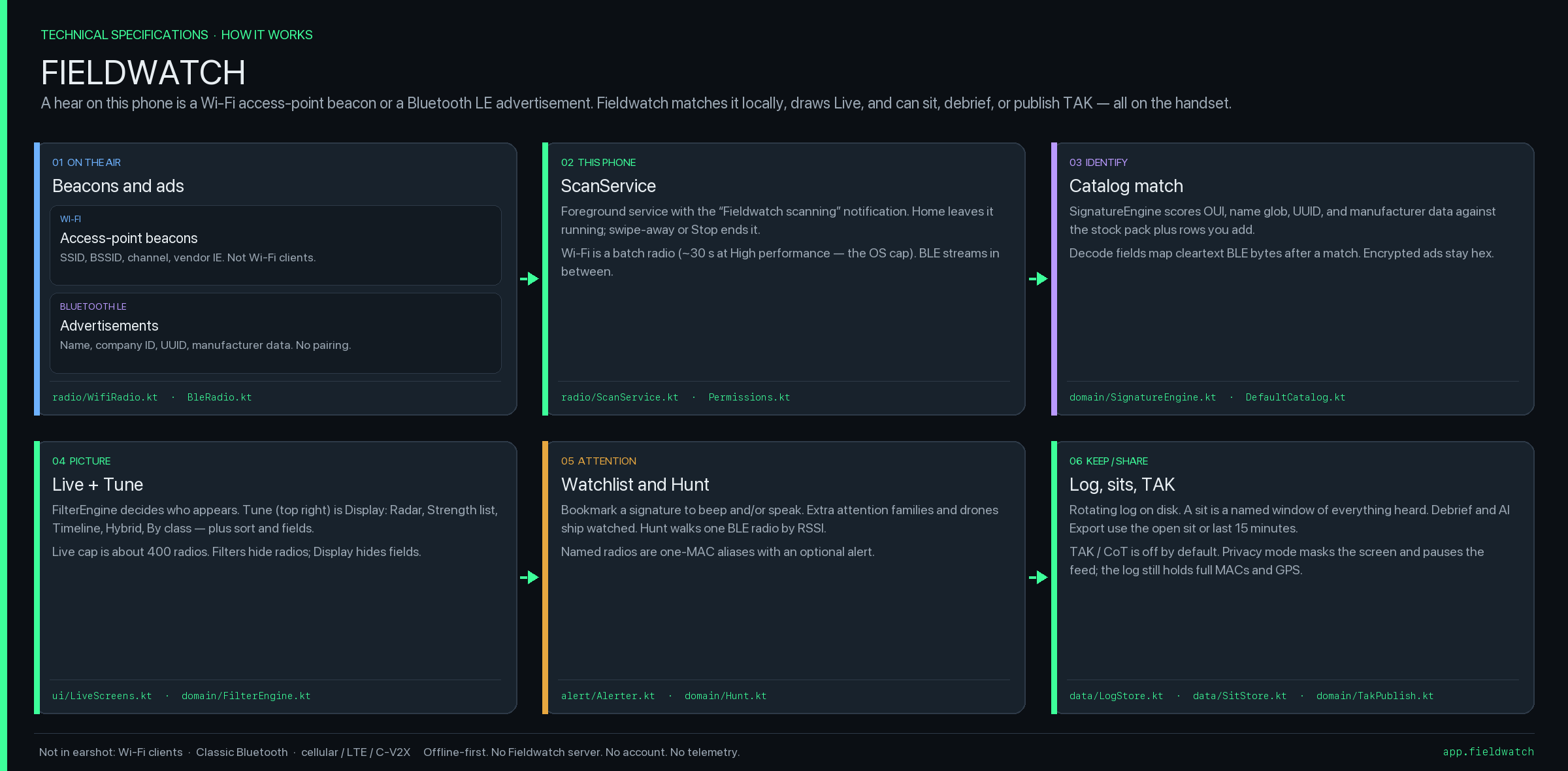
Fieldwatch is a free Android app from OffGridPete (Off Grid Pete LLC) that turns the phone you already own into a receive-only Wi-Fi and Bluetooth LE observer. The app is written in Kotlin, lives under the MIT License, and its entire engineering premise is the word receive in the description: the app's own radio does the listening, and Fieldwatch does the bookkeeping. There is no dongle, no account, no backend server, and — most importantly — no transmission on the user's behalf. It does not associate with the Wi-Fi networks it sees, it does not connect to BLE peripherals, and it does not phone anything home.
The project started life in September 2026 under the name Spectre and kept that name through version 1.2.14. The author later found that another app was already using the name, so the codebase was renamed to Fieldwatch (application id app.fieldwatch). Both names point at the same tool: a sideload-only Android APK that does passive radio observation. As of the time the original article was published, GitHub stars had moved from 823 to 1,323 in a single night; the repository has continued to grow and is now well past three thousand stars.
What it actually does
Six things, and the project is unusually clear about each one:
- Passive scan, no trace. Open the app and it quietly listens. Nearby Wi-Fi access points and Bluetooth Low Energy advertisements are recorded as they arrive. The phone's own radios are used in their normal scan modes — there is no 802.11 monitor mode, no BLE central role, no extra hardware.
- Customisable interface and a filtering engine. A scan session can produce a lot of rows. Fieldwatch ships a filter pipeline so you can narrow the view to the categories you actually care about, and the UI can be reshaped for the task at hand.
- Extensible signature library. A built-in catalog maps raw radio identifiers to named device classes — at the time the original article was published, the catalog sat at version 88 with 244 signature groups, and the changelog mentions additions for body-worn cameras, smart glasses, and tire-pressure sensors, among others. Users can add their own signatures when the catalog does not cover a device.
- Reports. A scan session can be exported as a "what did I just see" report, suitable for sharing or for keeping a paper trail.
- Offline only. There is no account system, no cloud, no telemetry. All data stays on the handset.
- Honest scope. The README dedicates an entire section to the things Fieldwatch deliberately does not do, and the in-app disclaimer reinforces it. The app does not put itself forward as a professional counter-surveillance tool, and it does not claim its matches are evidence.
What it is not
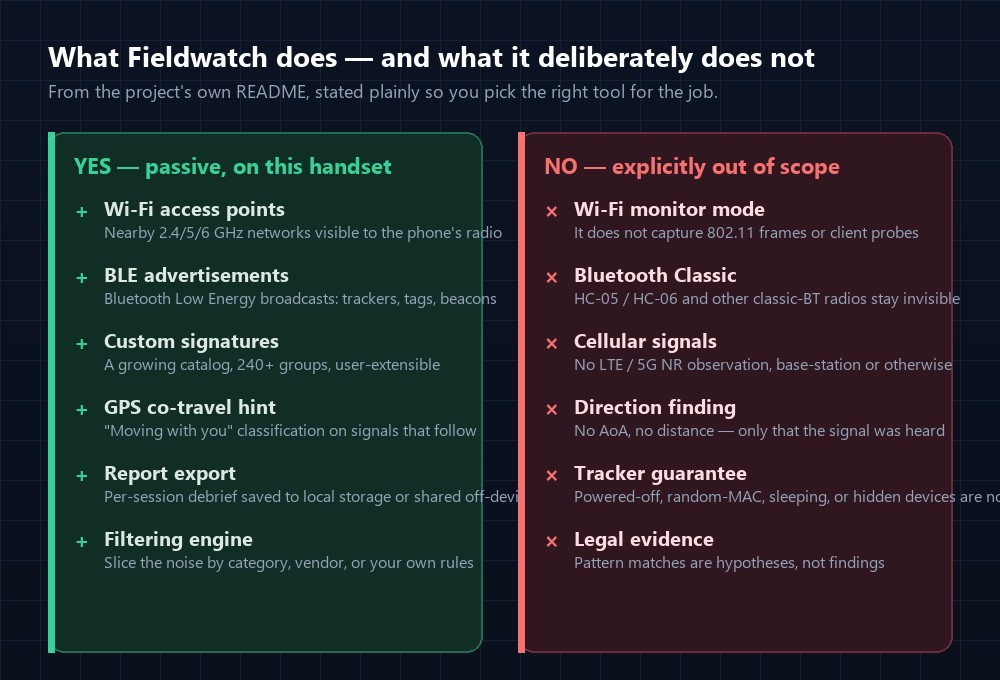
The repository's own "What Fieldwatch is not" list is worth quoting, because it is the difference between this app and the more aggressive tools in the same niche:
- Not Wi-Fi monitor mode. Fieldwatch does not capture 802.11 frames or put the chipset into promiscuous mode. It sees what a normal Android Wi-Fi scan already exposes — SSID, BSSID, signal strength, capability bits — and stops there.
- Not Bluetooth Classic. Classic-BR/EDR devices such as HC-05 and HC-06 serial modules do not advertise, so they will not appear at all.
- Not cellular. No LTE, 5G NR, or any other wide-area radio is observed.
- Not direction finding. The app can tell you that a signal was heard; it cannot tell you where it came from or how far away it is.
The author's disclaimer, which sits at the top of the README and in the in-app notice, makes the same point from the other side. "Moving with you" classifications are hypotheses, not identity, and are not a legal finding. A location tag, if recording is on, marks where your phone was when it heard the radio — not where the other device is. Powered-off, sleeping, or random-MAC radios may not appear, and there is no guarantee that a particular tracker or camera will be found.
Install and first run
Fieldwatch is Android-only and the sideload APK lives in the dist/ directory of the repository, alongside an instruction.txt permissions card and a 12 MB English user manual PDF. The install is a deliberate sideload — the app is not on Google Play, and the README warns that Play Protect may flag the APK as not-from-Play, which is expected.
The basic install path is:
- Download
Fieldwatch.apkfrom the repository'sdist/directory. Leave the file name as is. - Open the APK from a file manager and allow installs from that app when Android asks.
- Install; if Play Protect warns, continue.
- Open the app, tap through the disclaimer, and let it run. The first scan is a good chance to learn the filter engine at home before relying on it in the field.
There is one upgrade-only wrinkle. From 1.0.5 the APK is signed with an Off Grid Pete LLC release certificate, replacing the generic build-tools certificate used through 1.0.4. Phones treat a new certificate as a different publisher, so anyone on 1.0.4 or earlier has to uninstall the old build and install 1.0.5 fresh. The README recommends exporting signatures and settings first, then re-importing them after the new install. After that, ordinary in-place updates work again.
Where it fits in the IOTTourChina context
Fieldwatch is not a domestic IoT device itself — it is a tool for observing the IoT devices around you. That is the angle worth keeping in mind. A travellers' hotel room, a short-term rental, or a public space will often contain BLE trackers, smart-home sensors, and a dense Wi-Fi background. Fieldwatch turns a phone you already carry into a low-cost way to see that background, name what it can, and walk away with a report. Its scope is deliberately narrow, the license is permissive, and the project's own documentation is unusually clear about what the app will and will not do — which is precisely the kind of honesty that makes a tool worth recommending.