Watchy: a fully open-source ESP32-S3 e-paper smartwatch you build yourself
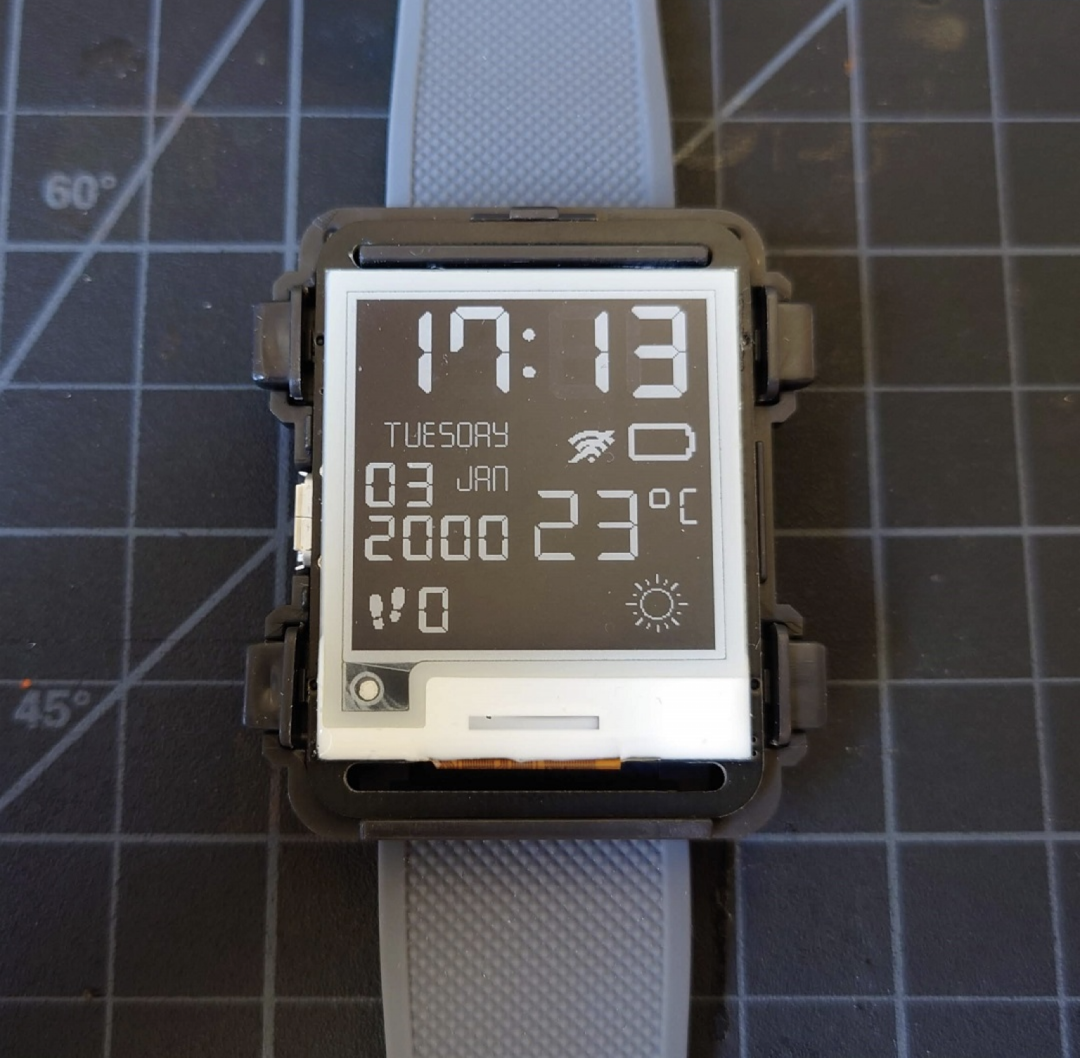
Watchy is a 100% open-source e-paper smartwatch built around Espressif's ESP32-S3FN8. Both hardware and firmware are open, and the watch is programmed with the Arduino toolchain — so it is less a finished product than a reference design you can modify down to the register level. Beyond telling the time, it supports custom watch faces, Wi-Fi, Bluetooth, live weather, a pomodoro timer, and a compass, with a strong community publishing new faces and feature packs on GitHub.
Highlights
- ~30-day battery life. Espressif's ESP32 combines aggressive sleep management with the e-paper panel's physics: power is drawn only when the screen refreshes, and a static image costs nothing. One charge lasts weeks — even a month.
- Extremely accurate timekeeping. It does not rely on network time. A dedicated high-precision RTC keeps time on its own and continues running off a backup cell after power is cut.
- Rich sensing. A Bosch BMA423 accelerometer handles step counting and lift-to-wake.
- Open-source ecosystem. New watch faces and extensions — music control, compass, and more — keep appearing on GitHub.
Hardware
- MCU: Espressif ESP32-S3FN8
- Display: 1.54" GDEY0154D67, 200x200 px, SPI interface (two-color e-paper)
- Accelerometer: Bosch BMA423 3-axis, with step counting and orientation detection
- RTC: external 32 kHz crystal, DS3231-class high-precision real-time clock
- Battery: 3.7 V 200 mAh LiPo
- Other: vibration motor, tactile buttons, Micro USB, PCB antenna, USB serial with CDC/JTAG debug, and a GPIO10 charge indicator
- Size / weight: 46 x 35.5 x 9.5 mm, 13 g — pocketable and light
Technical architecture
To squeeze out every milliamp, the ESP32 spends 96% of its time in deep sleep — the CPU core stops oscillating and the high-speed peripherals and high-frequency oscillators are powered down. It only wakes when the external RTC fires a minute-pulse interrupt (ext0) or the user presses a side button (ext1). On wake it runs a few tens of milliseconds of computation and framebuffer push, then immediately dives back into deep sleep.
The system is split into three independent layers:
- Time and interrupt base. An independent ultra-low-power RTC runs around the clock, drawing under 1 µA. It is configured to fire once per minute and wires its interrupt (INT) pin straight to an ESP32 RTC GPIO.
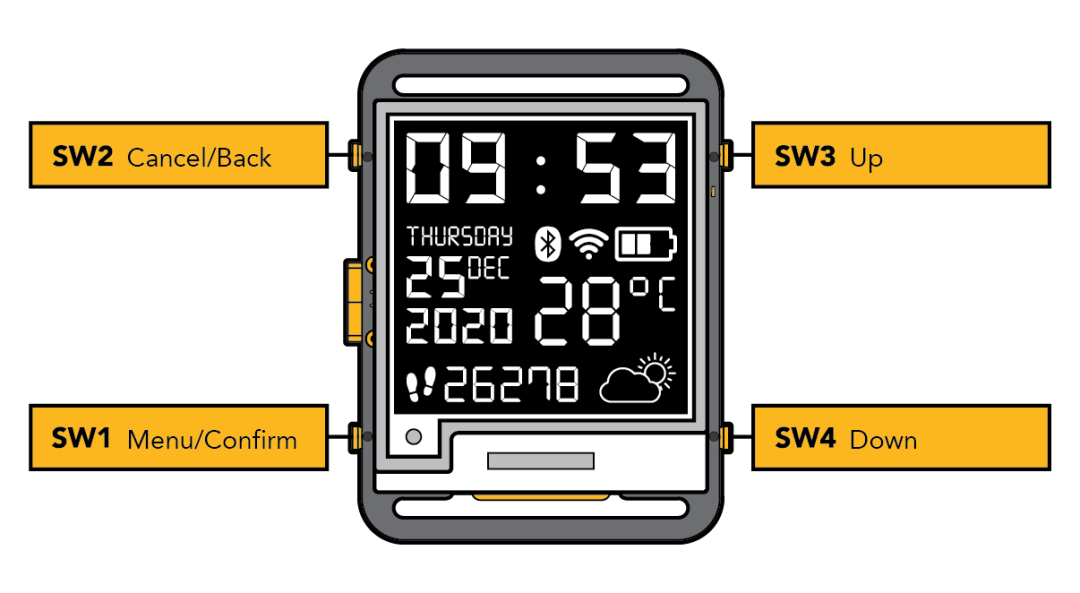
- Interaction and sensing. Four side tactile buttons are mapped through a resistor network to the ESP32's wake pins. The Bosch BMA423 runs its own low-power hardware step-count algorithm without involving the main MCU, pulling an interrupt line low only on a double-tap or gesture.
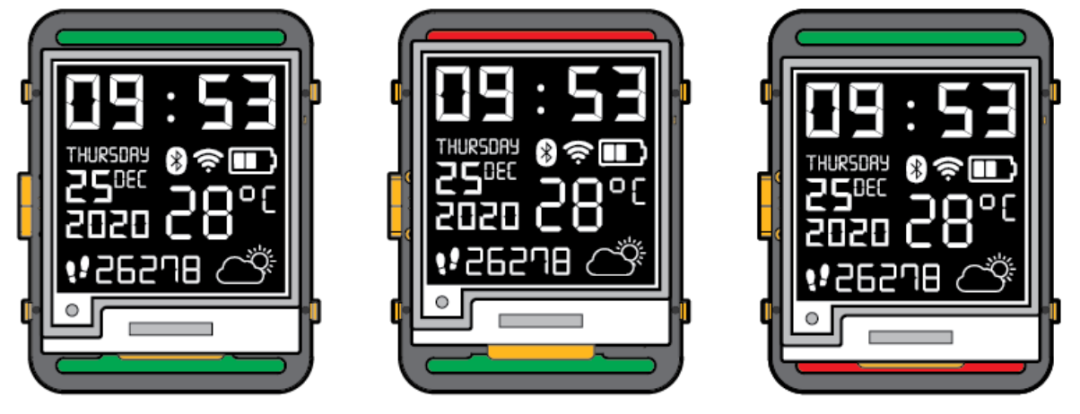
- Interface layer. A 1.54", 200x200 px two-color e-paper panel — bi-stable by nature, it holds its image even with power fully removed.
Building a custom watch face
Watchy exposes its display and timekeeping through a simple C++ class, so a new face is a short derivation:
- Create a PlatformIO project. Pick board
esp32dev(for v1/v2) oresp32-s3-devkitc-1(for v3), then add the officialsqfmi/Watchydependency. - Derive a face class. Subclass
Watchyand overridedrawWatchFace().
#include <Watchy.h>

class MinimalFace : public Watchy {
public:
  MinimalFace() {}
  void drawWatchFace() override {
    // 1. Clear the framebuffer (white background)
    display.fillScreen(GxEPD_WHITE);
    display.setTextColor(GxEPD_BLACK);

    // 2. Read hours/minutes from the built-in clock object
    display.setFont(&FreeSansBold24pt7b);
    display.setCursor(25, 100);
    if (currentTime.Hour < 10) display.print("0");
    display.print(currentTime.Hour);
    display.print(":");
    if (currentTime.Minute < 10) display.print("0");
    display.print(currentTime.Minute);

    // 3. Read on-board battery voltage and step count
    display.setFont(&FreeSans9pt7b);
    display.setCursor(30, 150);
    display.print("BAT: ");
    display.print(getBatteryVoltage());
    display.print("V");
  }
};
- Wire it into the entry point.
init()inspects the wake reason, callsdrawWatchFace(), then goes back to deep sleep automatically — soloop()is never reached.
MinimalFace watchFace;

void setup() {
  // init() checks the wake reason, draws the face, then auto deep-sleeps
  watchFace.init();
}

void loop() {
  // never reached — the CPU is asleep by the end of setup()
}
- Compile and flash. Connect the watch over USB, compile, and write straight to the ESP32 flash. On power-up the MCU handshakes with the RTC, performs a first full-screen refresh, and is then ready to wear untethered.
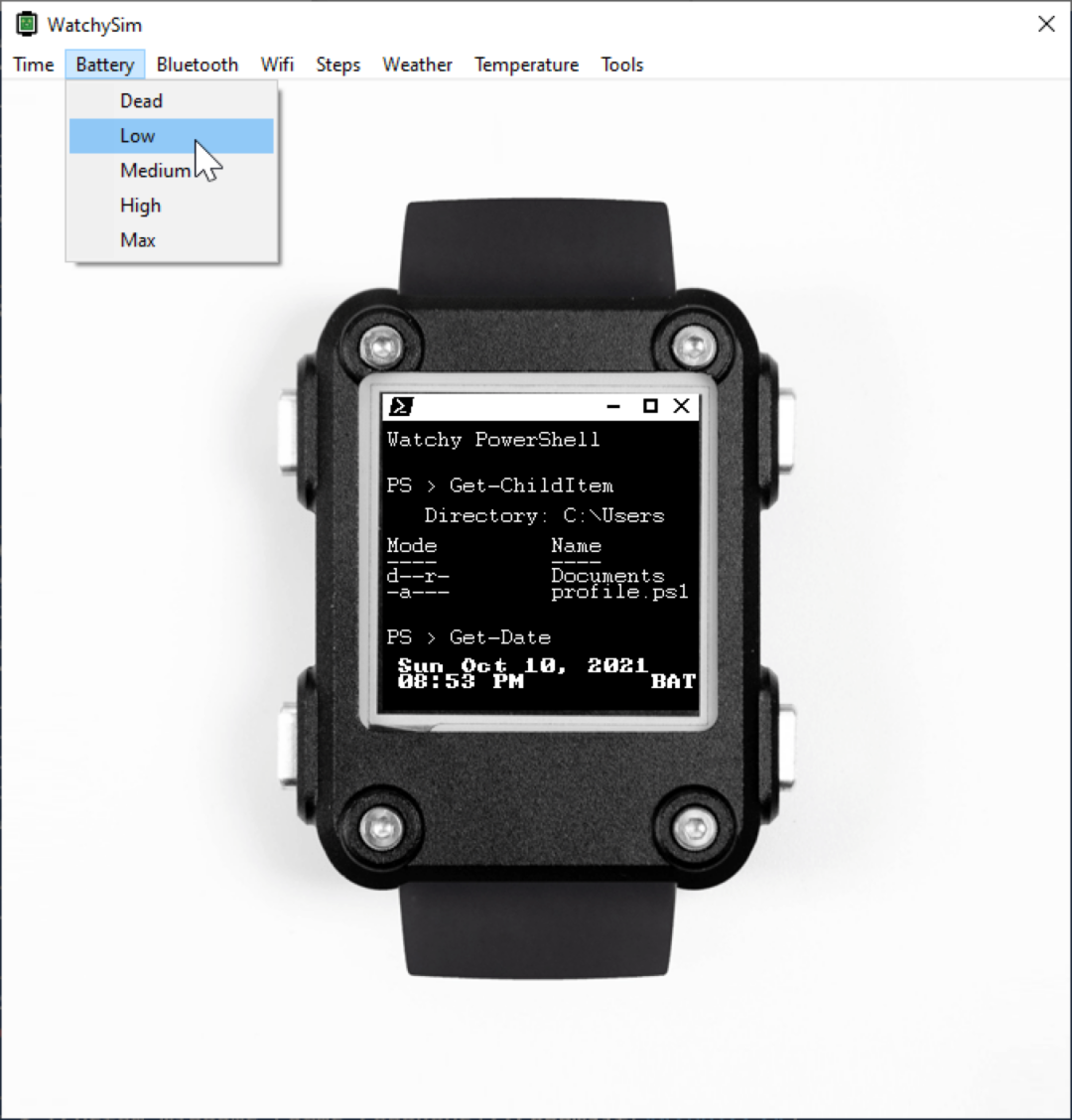
The community simulator is handy for iterating on a face before touching hardware:
Partial refresh and deep sleep
An e-paper panel images through black and white microcapsule particles that migrate under an electric field. During normal timekeeping the driver sends only a partial-update lookup table (LUT) waveform and inverts the microcapsules behind the digits that actually changed — a refresh that takes about 300 ms with no visible black-white flashing. To enter deep sleep, the code must explicitly send the 0x10 sleep command to the panel after the SPI transfer — display.hibernate() in the driver library.
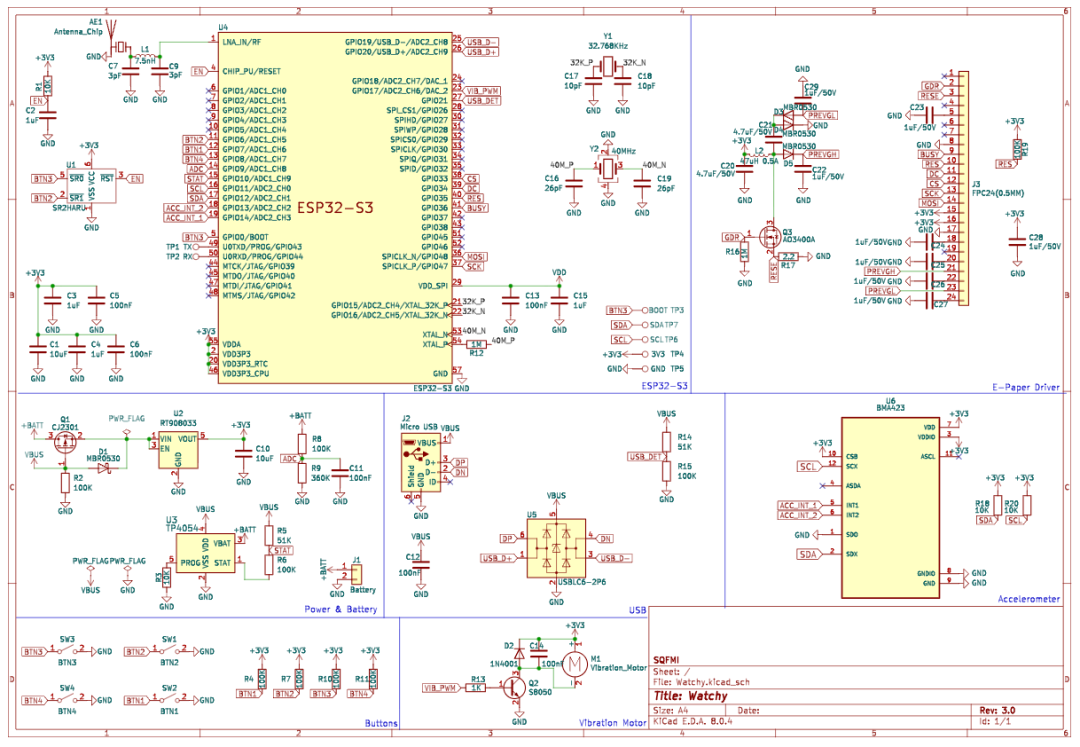
Full schematic
The open hardware extends to the board design, so you can inspect or respin the power tree, USB, buttons, and E-paper driver:
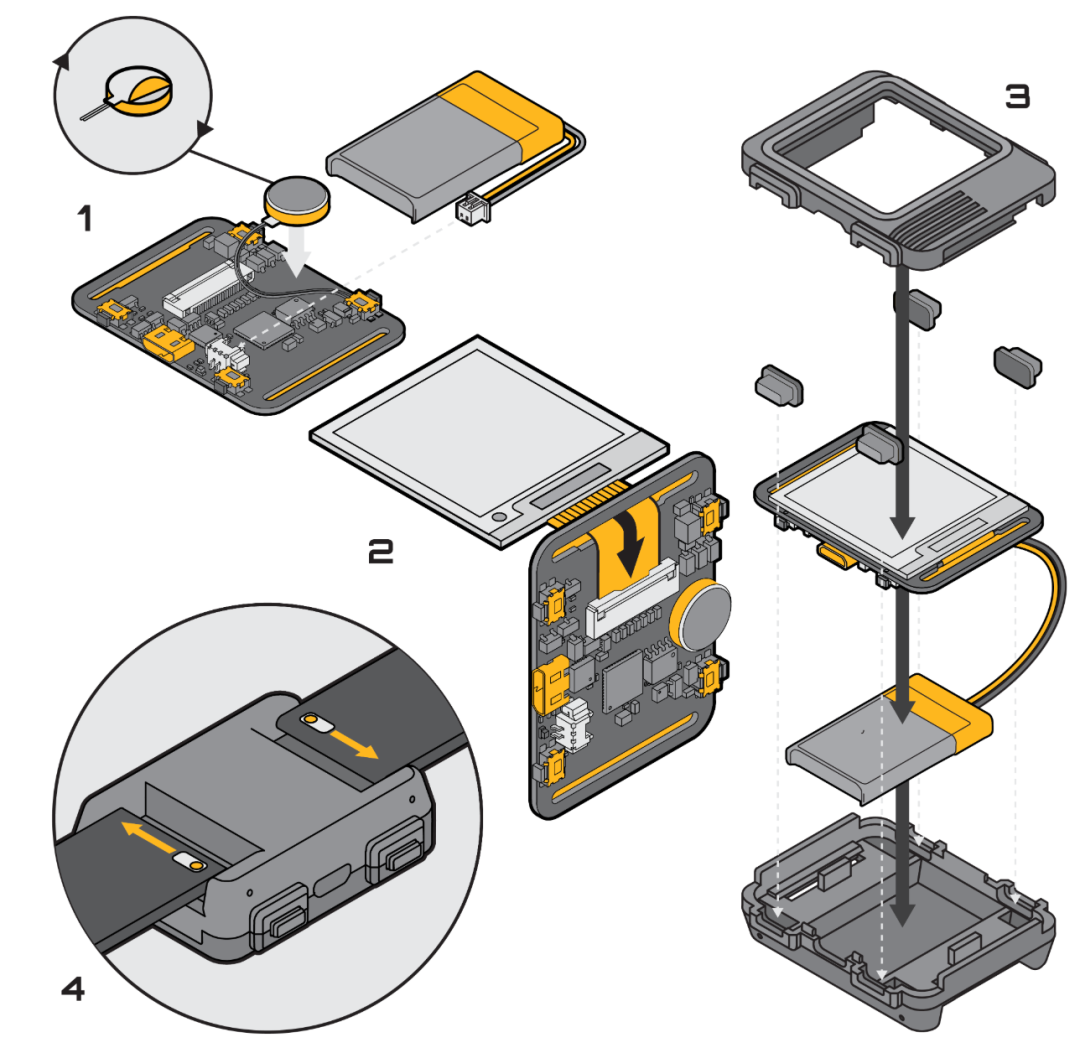
3D-printed case
Enclosure models are published for printing at home — the exploded view shows how the board, panel, battery, and vibration motor stack:
IOTTourChina covers open-source IoT hardware built on widely available Chinese silicon as part of its device and developer resource. Details should be confirmed against the project's official documentation.