Velxio: an open-source electronics lab that simulates ESP32, Raspberry Pi and Arduino in the browser
Building a microcontroller project usually starts with buying a board. To test a snippet or prototype an idea, most people order hardware, then spend the better part of an afternoon soldering, rounding up components, wiring a breadboard and connecting one jumper at a time — and one reversed lead is often enough to let the smoke out.
Online simulation has existed for a while in the form of Wokwi, a tool many IoT developers know well, but it is a commercial product: a number of boards sit behind a paywall, and there is no way to run it locally, offline, on your own machine.
That gap is exactly what Velxio targets — an open-source project that moves an entire electronics lab into the browser. It has already passed 3,000 GitHub stars, is released under AGPL-3.0, and puts code editing, hardware simulation and oscilloscope debugging all inside a web page.
Trying Velxio
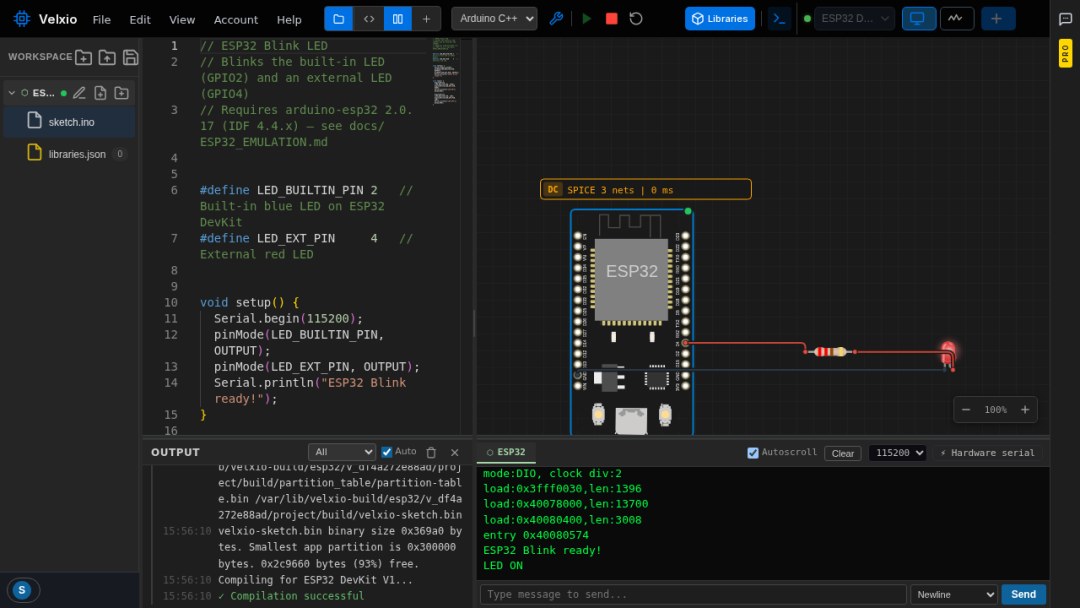
Open Velxio and the layout is immediately familiar: a code editor on the left, a large circuit canvas on the right. The editor is Monaco — the same engine that powers VS Code — so syntax highlighting, autocompletion and multi-file switching are all present.
Drag an ESP32 out of the component library, wire up a resistor and an LED, write the code and press Run — the LED blinks on the delay you wrote, while the serial monitor along the bottom prints the log in step. The feel is close to flashing a real board.
Forty boards, Raspberry Pi included
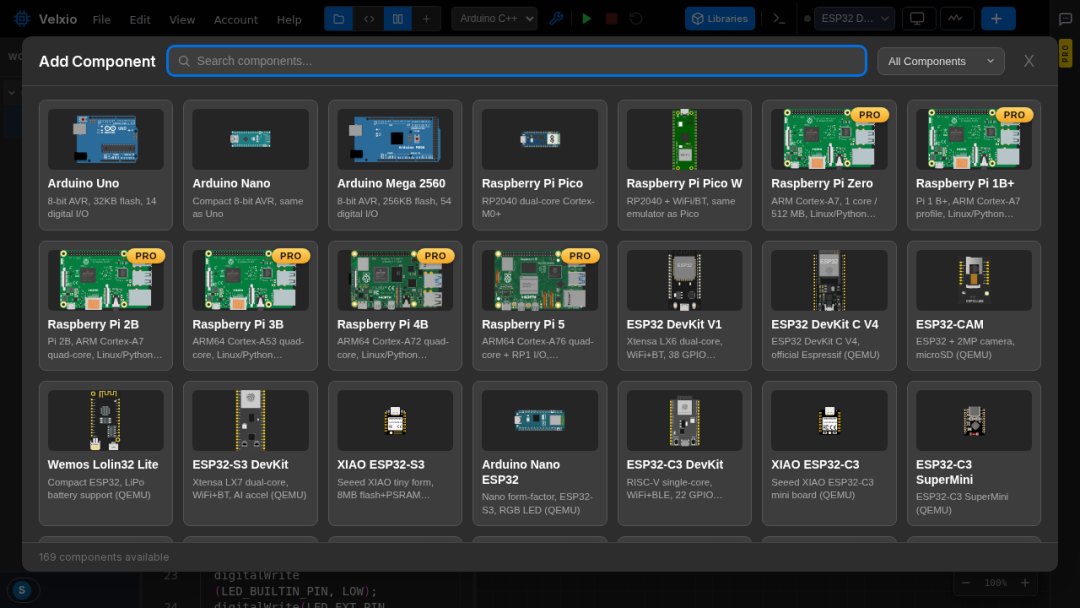
Open the component picker and the line-up is genuinely broad: 40 development boards across 5 CPU families. It runs from the classic 8-bit AVR, through mainstream ARM Cortex-M, to the Xtensa and RISC-V cores common in IoT work.
Arduino Uno and Nano are of course present, the full ESP32 series — including the camera-equipped ESP32-CAM — is covered, and vendor boards from M5Stack, Seeed and DFRobot are in the mix.
The most striking part is the Raspberry Pi support. Beyond the Pico and Pico W, Velxio embeds Linux virtual machines spanning everything from the Zero to the 5th generation, so you can boot a miniature Raspberry Pi in the browser, run Bash commands and drive virtual GPIO from a Python script.
Simulating what has no heat and no light
Inside a screen there is neither heat nor light — so how are sensors simulated? Every component ships with interactive controls. Drag out a temperature/humidity sensor and a slider appears: move the temperature from 20 °C to 60 °C and the value your code reads changes at once. A knob sets a potentiometer's resistance, an ultrasonic range finder lets you drag an obstacle to change distance, and even mechanical button bounce is modelled.
Rather than blowing hot air or shining a bright light, a mouse drag is enough to exercise every edge case.
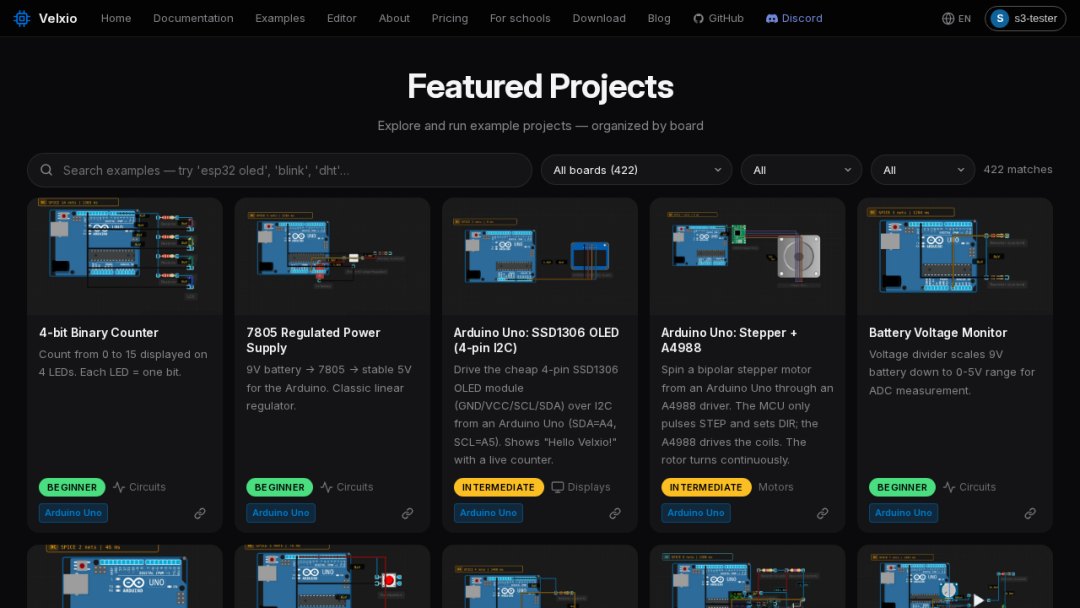
For newcomers who do not know where to start, the project ships an example gallery with more than 400 ready-made projects: blinking LEDs, seven-segment displays, TFT screens, e-paper and MQTT networking are all covered, and the official "100 Days, 100 IoT Projects" collection has been imported whole. One click lays out the entire circuit and its code — change any parameter directly, and if it stops working, fall back to the original for comparison. It is far faster than wiring from scratch while following a tutorial.
Writing code means installing libraries, and Velxio builds an Arduino library manager into the top bar: search for common libraries such as Adafruit and U8g2, click install, and there is no need to hunt down source packages by hand.
Real, machine-level emulation
Under the hood the simulation is closer to real hardware than a behavioural model. Boards such as AVR and RP2040 run their compiled machine code directly in the browser. The ESP32 family instead spins up a genuine QEMU virtual machine in the background, feeding GPIO and serial data back to the canvas in real time. The circuit layer is not faked either — a SPICE engine computes voltage and current continuously, so a deliberate short circuit really does raise an error.
Besides Arduino C++, MicroPython, ESP-IDF and plain Python are all supported; switch over and the terminal along the bottom accepts an interactive REPL, one line at a time.
Even Wi-Fi is simulated
What genuinely sets Velxio apart is network simulation. Most ESP32 work is about connecting to Wi-Fi and pushing data to a server, yet most simulation tools give up the moment a network is involved.
Velxio instead builds a virtual network inside the browser. Write WiFi.begin() in your code and the board really does obtain a LAN IP when it runs; it can reach public MQTT brokers on the internet, or even connect into your own Home Assistant. Send a message from your phone to MQTT and the virtual board in the web page reacts immediately, with the serial log scrolling in time.
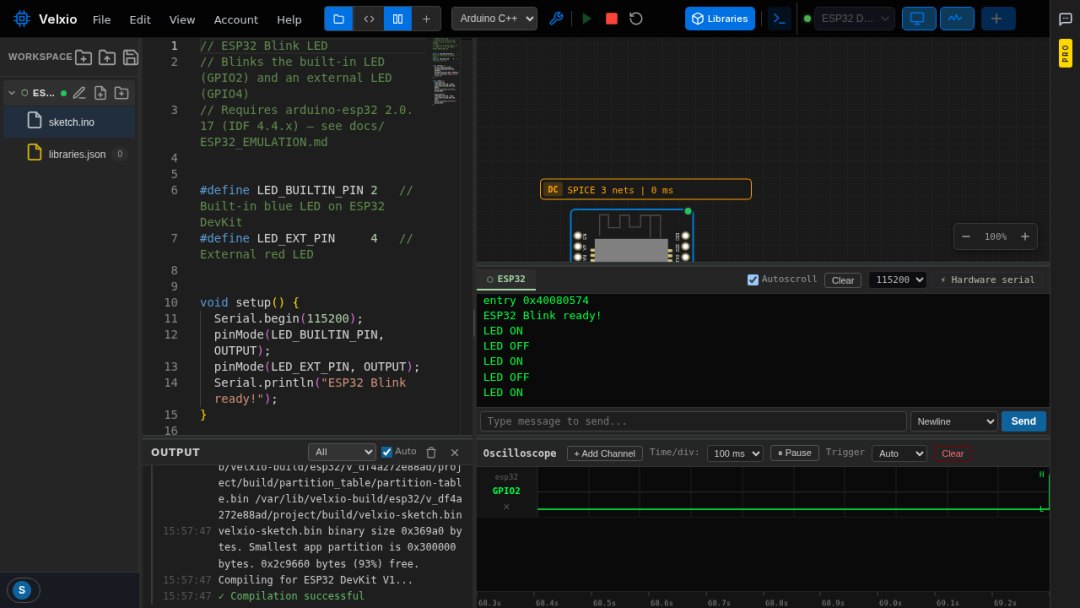
Debugging is generous too. A click in the top-right corner brings up an oscilloscope and logic analyser, drawing pin-level transitions and PWM waveforms as live traces. On the RP2040 the oscilloscope's time resolution reaches roughly 8 nanoseconds — when an I2C or SPI bus refuses to work, reading the waveform beats stepping through code line by line.
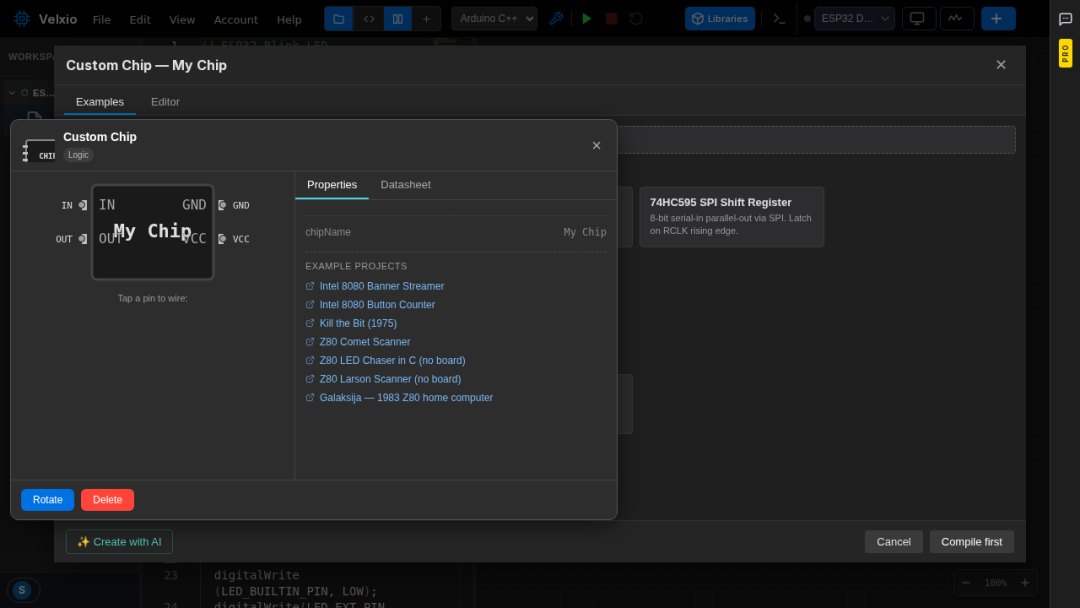
If you run into an obscure chip the library does not cover, you can write your own: implement an IC in C, compile it to WebAssembly, and drop it onto the canvas as a new component.
Getting started
The easiest route is the official online demo — no environment to configure, just open it: velxio.dev
A local deployment is not fussy about the operating system either: on Windows, Mac or Linux you simply open a browser. A Docker image is provided, so one command brings it up:
docker run -d --name velxio -p 3080:80 ghcr.io/davidmonterocrespo24/velxio:master
One caveat worth stating clearly: the self-hosted image ships only the Arduino, Pico and ESP32 families. STM32 and Raspberry Pi Linux depend on licensed simulation binaries and multi-gigabyte boot images, so they are only available in the official online edition.
To build it yourself, clone the source:
git clone https://github.com/davidmonterocrespo24/velxio.git
cd velxio
Where simulation stops
A simulation, however complete, cannot replace real hardware. Radio frequency behaviour, high-current drive and true timing jitter can only be approximated in a web page — anything headed for production still needs a pass on physical parts.
But what puts people off hardware is rarely the difficulty of the logic; it is the overhead — buying boards, wiring, and hunting down dead components — that consumes all the time. Velxio folds a circuit canvas, code compilation, library management and machine-level simulation into the browser, which lowers the barrier considerably. And because it is fully open source, it does not gate features behind a commercial licence the way paid simulation software does.
For anyone getting started with microcontrollers who has no board on hand, or who simply wants to validate an idea at short notice, it is well worth bookmarking.
The project follows the AGPL-3.0 free and open-source licence.
IOTTourChina covers open-source IoT hardware and edge platforms built on widely available Chinese silicon as part of its device and developer resource. Details should be confirmed against the project's official documentation.