StackChan: a $99 open-source desktop robot built on a patched XiaoZhi firmware
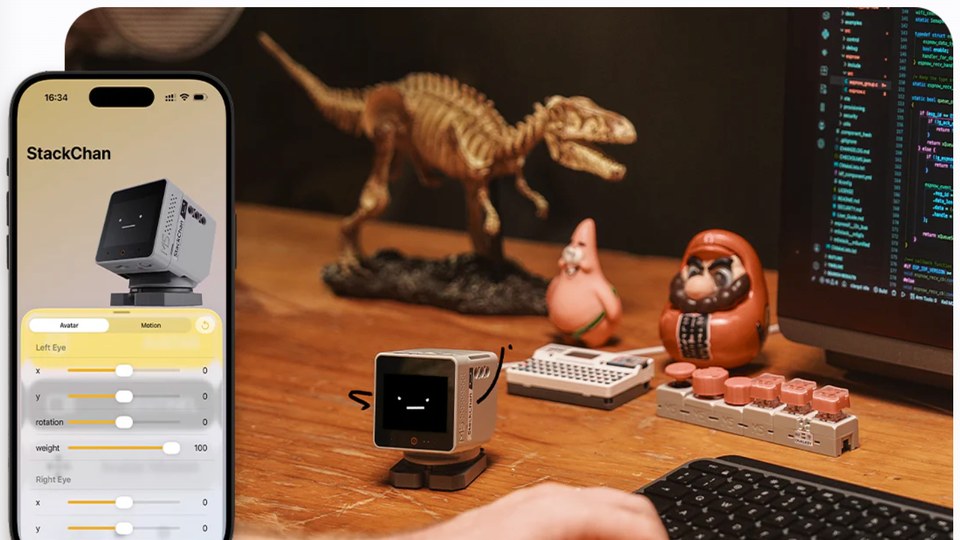
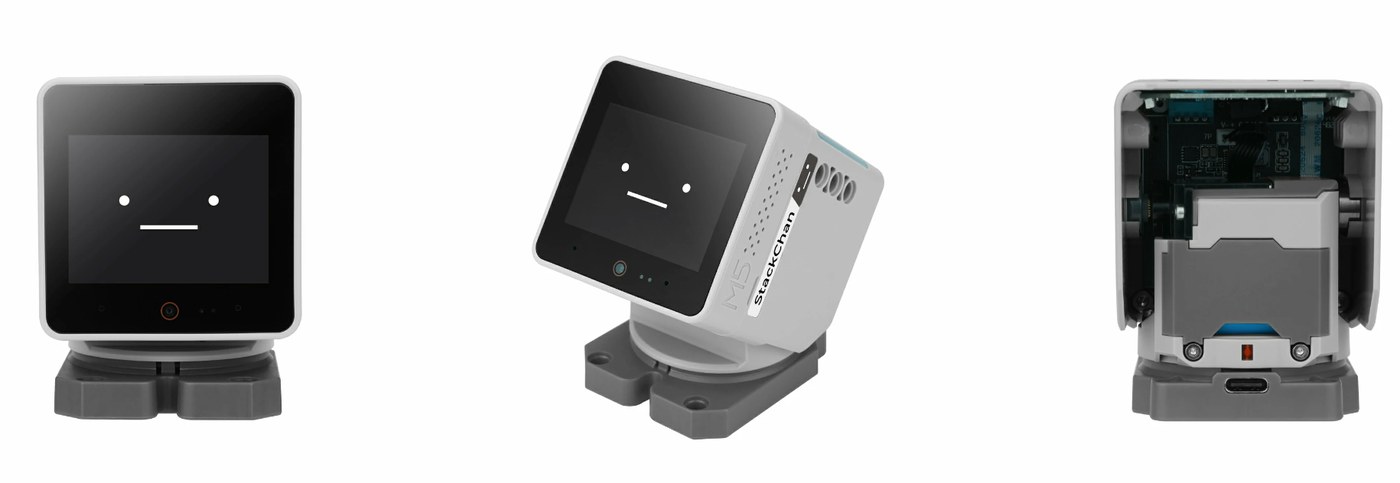
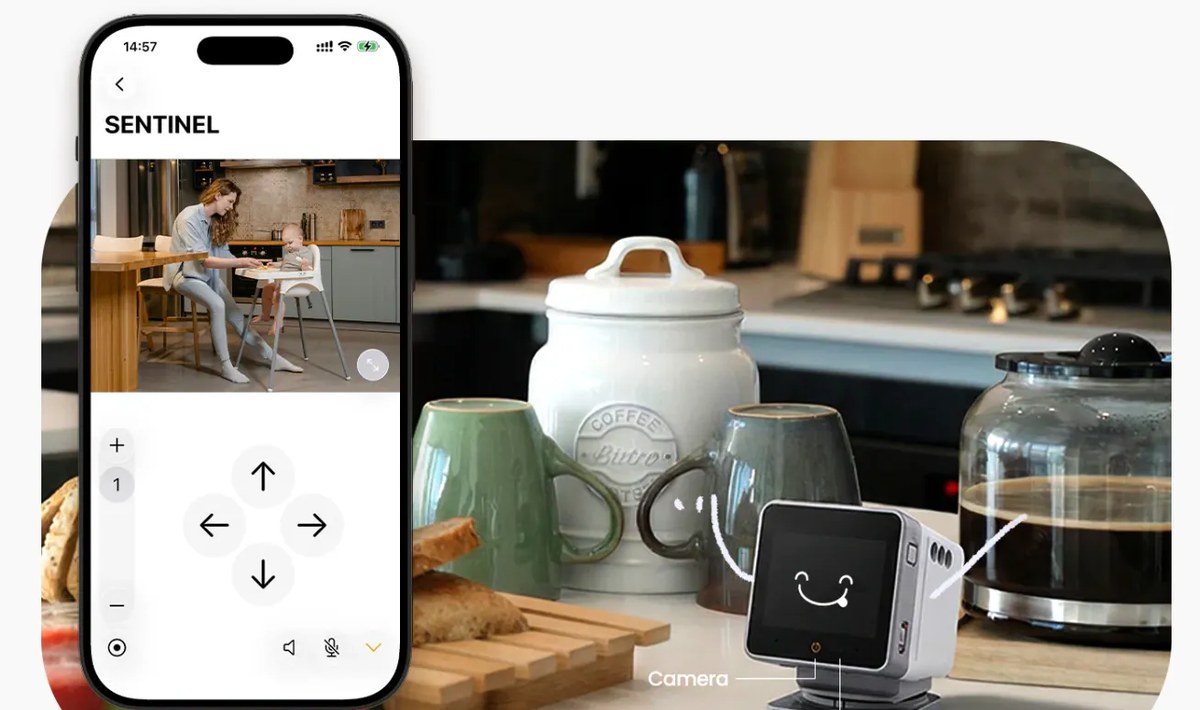
Most desktop robots fall into one of two camps: a novelty with a chatbot bolted on, or a development kit that never leaves the bench. StackChan tries to be both at once — a 54 x 70.5 x 61.5 mm cube that arrives assembled, whose face is a 2.0-inch touch display, and whose firmware, mobile app, remote-control firmware and companion server are all published in the same public repository.
The name is not new. It comes from stack-chan, an open-source project from 2021 that bolted a face, a pair of servos and a JavaScript runtime onto an M5Stack Core. M5Stack describes the current product as co-created with that community, and the hardware has moved on accordingly: the core is now a CoreS3, and the body adds the servos, the RGB LEDs and an NFC front end. The official store price is $99 (¥699 in China), and the unit ships with the core already installed, so this is not a kit you solder together.
What $99 buys
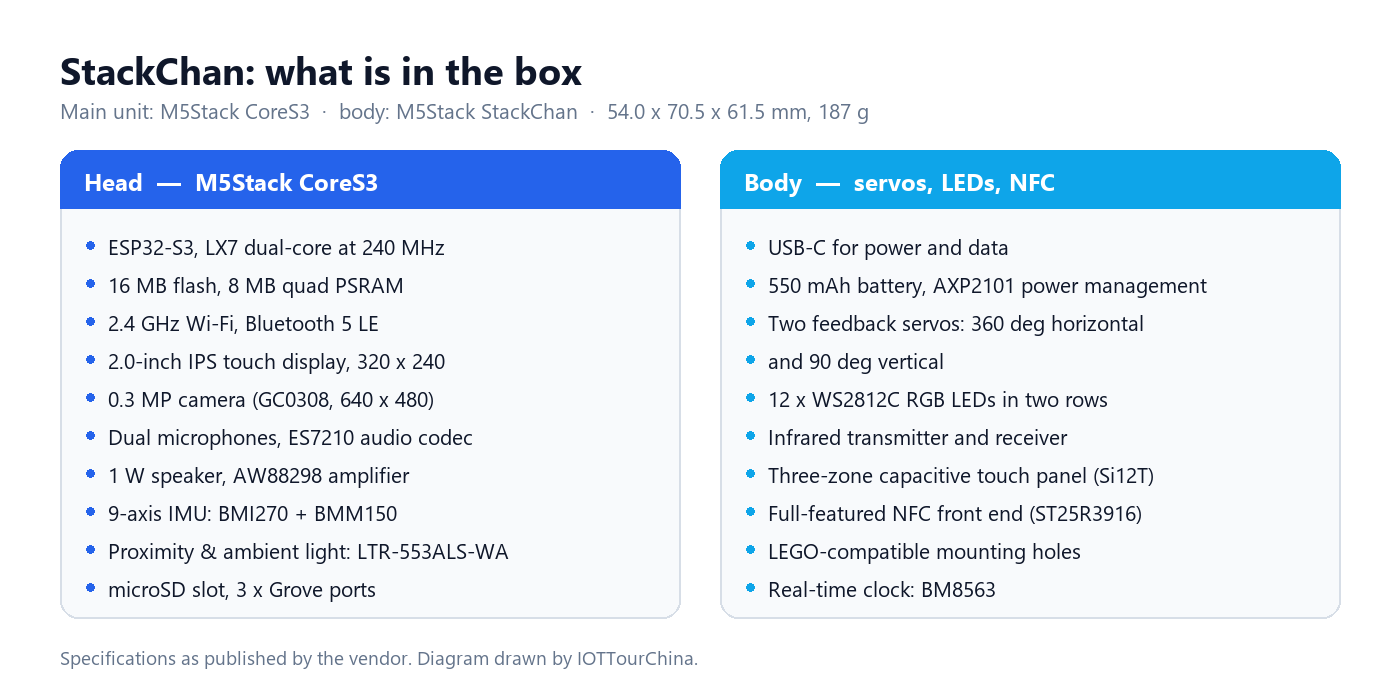
| Area | Specification |
|---|---|
| Main controller | M5Stack CoreS3 — ESP32-S3, Xtensa dual-core LX7 at 240 MHz, 16 MB flash, 8 MB quad PSRAM |
| Wireless | 2.4 GHz Wi-Fi 802.11 b/g/n and Bluetooth 5 LE |
| Display | 2.0-inch IPS, 320 x 240, capacitive multi-touch, glass cover (ILI9342C panel, FT6336U touch) |
| Camera | GC0308, 640 x 480, 0.3 MP |
| Audio | Dual microphones with an ES7210 codec, and a 1 W speaker with an AW88298 amplifier |
| Sensing | 9-axis IMU (BMI270 plus BMM150), proximity and ambient light sensor (LTR-553ALS-WA), three-zone touch panel (Si12T), infrared transmitter and receiver |
| NFC | Full-featured NFC front end, ST25R3916 |
| Lighting | 12 x WS2812C addressable RGB LEDs in two rows |
| Motion | Two feedback servos: 360-degree continuous rotation horizontally, 90 degrees vertically |
| Expansion | microSD slot, three Grove ports, USB-C for power and data, LEGO-compatible mounting holes |
| Power | 550 mAh battery, AXP2101 power management, BM8563 real-time clock |
| Size and weight | 54.0 x 70.5 x 61.5 mm, 187 g |
| Price | $99 in the official store, ¥699 in China |
The figure that stands out is not the pixel count, it is the NFC front end. A full-featured NFC controller is unusual furniture for a desk toy, and it is there because the body was designed as a general-purpose accessory rather than a sealed product. The same shell carries three Grove ports, a microSD slot and LEGO-compatible mounting holes, so a bracket or a sensor can be bolted on without opening the case.
The firmware is a patched XiaoZhi build
What separates StackChan from a talking cube becomes obvious the moment you read the repository's build script. The factory firmware is not a black box compiled once by the vendor. It is assembled from named components that the script clones, pins to a version and patches before an ESP-IDF build.
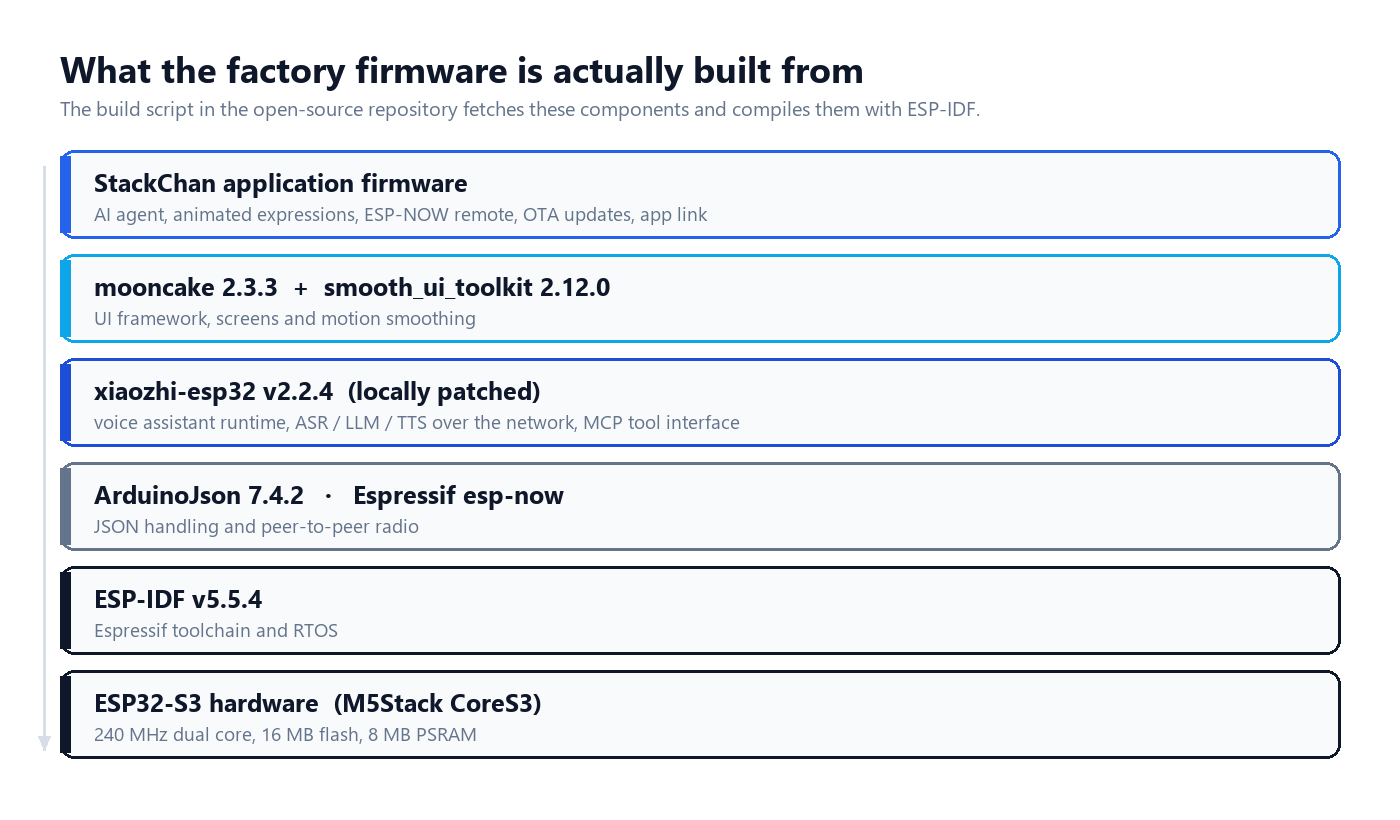
The voice stack is xiaozhi-esp32, pinned at v2.2.4 and patched locally. That project — an MIT-licensed, MCP-based ESP32 chatbot that has quietly become the default voice layer for Chinese DIY devices — is what gives the robot its assistant, and knowing its architecture tells you almost everything about how the robot behaves:
- Wake-word detection runs on the device. It uses the Espressif ESP-SR engine, and the wake word is editable, so the robot does not need the network to notice that you are talking to it.
- The conversation is a network round trip. Audio is streamed as Opus into a conventional ASR, LLM and TTS pipeline, or into a realtime end-to-end voice model. There is no offline conversation mode, and the latency you feel is the latency of that round trip.
- The model sits behind the protocol, not inside the firmware. The reference server runs models such as Qwen and DeepSeek, and because the backend is a service rather than a build-time choice, the same hardware is routinely advertised with different model names depending on the vendor.
Two further layers sit above the assistant. mooncake and smooth_ui_toolkit supply the screen stack and the animation framework, which is what makes the facial expressions move convincingly on a 320 x 240 panel. esp-now provides the peer-to-peer radio that the optional remote control uses when there is no Wi-Fi network to join.
Notice what is missing from that stack: there is no Arduino. The factory firmware is built with ESP-IDF v5.5.4, and the Arduino path is a separate board support package that M5Stack publishes under its own MIT licence. If you want to write sketches, that is the door — but it is not the firmware the robot ships with, and features such as the animations and the AI agent live in the ESP-IDF build.
Where the assistant reaches
The MCP layer is where the interesting engineering sits, and it is worth being precise about it, because "AI agent" is doing a lot of unearned work in this product category. MCP is the tool interface the model calls, and in this stack it is split in two:
- On the device, the tools cover the hardware itself: speaker, LEDs, servos, GPIO. That is how a spoken sentence turns into a head turn.
- On the server, tools extend what the model can do at all — smart home control, desktop operation, knowledge search, mail, and whatever else you attach.
That split explains why "turn off the TV" is a configuration exercise rather than a firmware change. The reach of the assistant is decided by which server-side tools you wire up, not by what the robot can run locally. It also means the privacy boundary is drawn by that choice: the microphone feeds a network service, and physical answers to physical actions come back as tool calls.
What the app adds
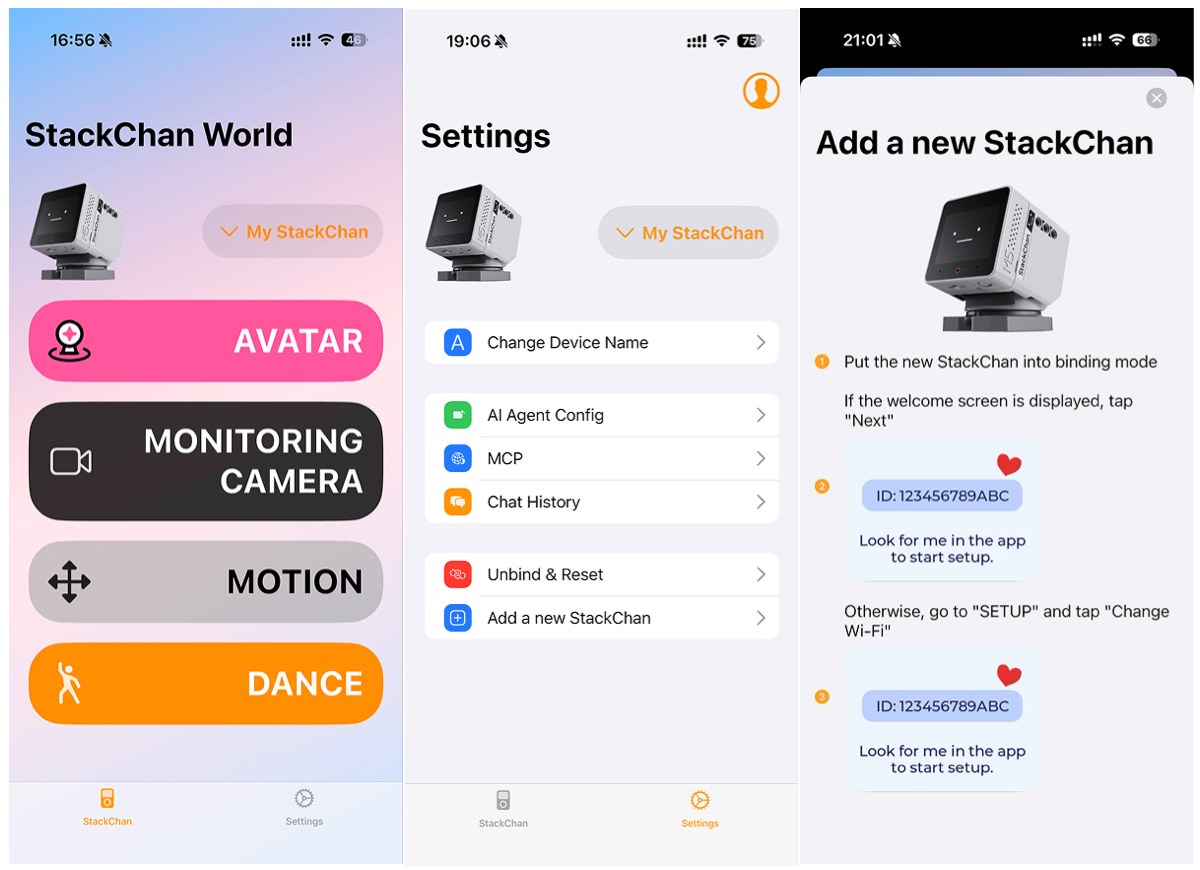
M5Stack publishes the mobile app as source too, and the screenshots show what it is for: a StackChan World tab that collects an avatar editor, the monitoring camera, a motion panel for individual joints and a set of canned dances; a settings list with device naming, AI agent configuration, MCP endpoints, chat history and an unbind-and-reset action; and a pairing flow that scans for new units.
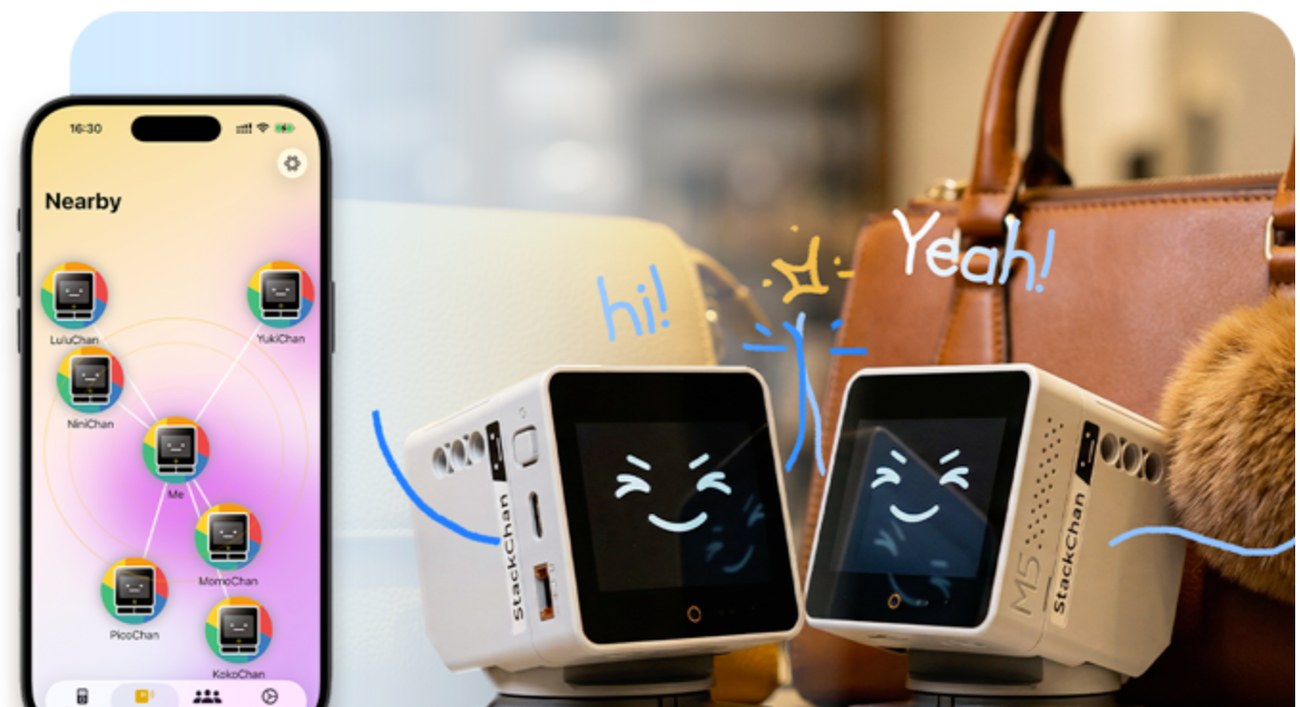
The avatar and motion panels are more useful than they look. The panel exposes the left and right eye axes, the horizontal rotation and a "weight" parameter per axis, so you can dial in an expression and a head pose rather than accepting the factory presets. Pairing is by discovery, and the app advertises the unit so other phones can find it.
Three ways to program it
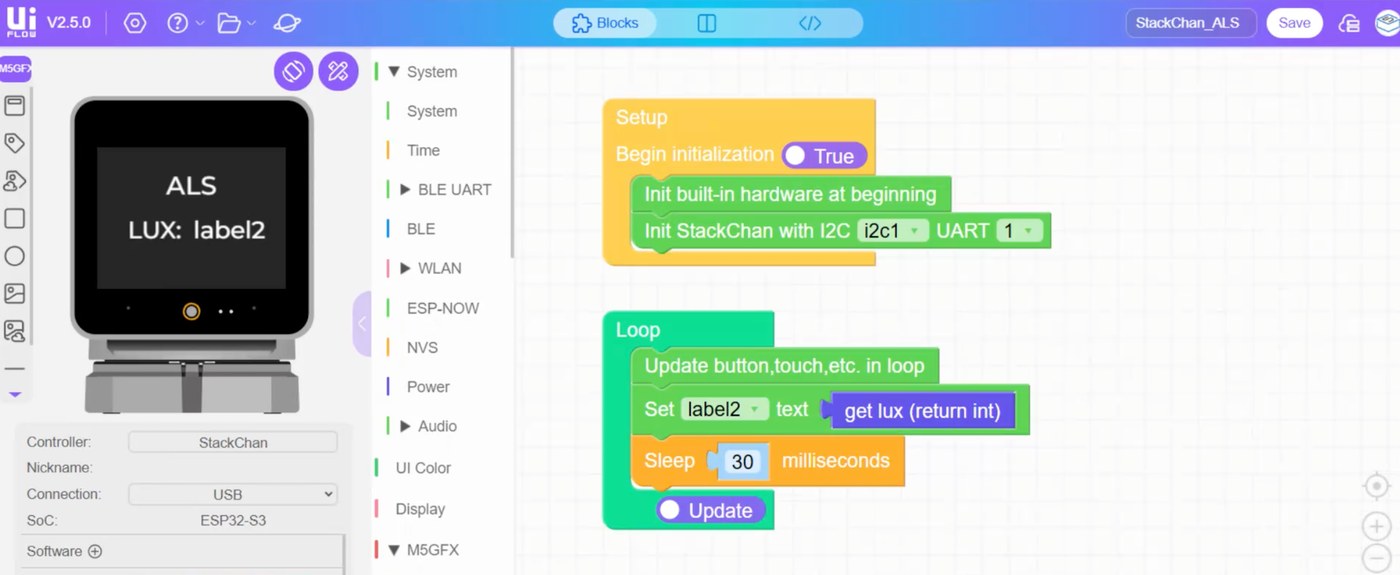
The lowest-effort route is UiFlow2, M5Stack's browser-based block editor, which has a StackChan target and can compile in the cloud and flash over USB. The screenshot below is a real project: read the ambient light sensor and print the value to the screen, with the loop, the sleep interval and the display update all expressed as blocks.
Above that sit Arduino IDE, PlatformIO and ESP-IDF for people who want to work in C++, and the vendor's own firmware source as the reference implementation. There is also a fourth route that did not exist when the original robot was designed: describing the behaviour in plain language and letting a coding agent write the firmware. The demo below is exactly that — a red ball placed on the desk, a prompt that says the robot should follow it, and no interest in learning robotics along the way.
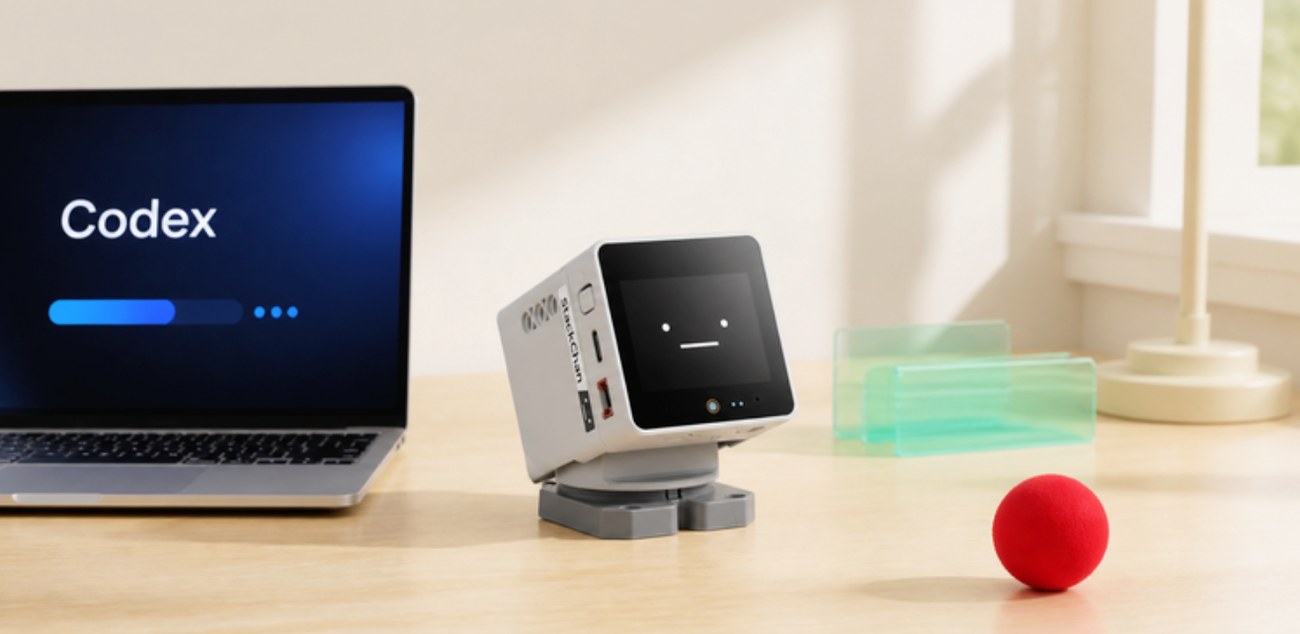
It works because the target is well specified and the toolchain is public: the agent can read the board support package, write the servo and vision code, and ask the human only for the physical steps it cannot perform. The practical caveat is the same one that applies to any generated firmware — the servo limits and the calibration still have to be right, and the vendor's own warnings apply to whatever code you flash.
Lineage, licence and what is really open
The original stack-chan project is Apache-2.0 licensed, has been running since 2021, and carries roughly 1,771 stars; it is still receiving commits. It includes the firmware, printable case models, schematics and a web-based configuration tool. M5Stack's own repository is separate, newer and slightly smaller — created in January 2026, around 1,372 stars and 381 forks — and it holds the production firmware, the remote-control firmware, the app source and a Go server.
That is an unusually complete release for a consumer product. It is worth reading the fine print rather than assuming the word "open source" covers everything: the production firmware and the board support package are the parts you can rebuild and reflash, while the hardware itself is a manufactured product, and the reference server is a service you either run yourself or point the device somewhere else.
Practical notes
- The app only talks to genuine StackChan core controllers. The vendor is explicit that it will not connect to a bare CoreS3, CoreS3-SE or CoreS3-Lite. If the app matters to you, buy the product rather than the development board.
- Keep the vertical servo between 5 and 85 degrees. The vendor warns that running it to the extremes stalls the servo and can destroy it permanently. The horizontal axis has no such restriction.
- Never force the head or the base by hand when you are not sure whether the motors are powered. Back-driving a geared servo is the fastest way to break it.
- The battery is 550 mAh. That is a desk-session cell, not an all-day one, and no runtime figure is published — plan on USB-C near the desk.
- The camera is 0.3 megapixels. It is enough for presence detection, face tracking and a low-resolution monitor view, and not enough to pretend it is a security camera.
- Assume the cloud. Wake-word detection is local, but the conversation is not, so the assistant needs a network, a backend account and an API budget. Budget for latency as well as tokens.
- Documentation is multilingual, the ecosystem is Chinese. The vendor's documentation exists in English, Japanese and Chinese, which is better than most, but the community material, the accessory market and the retail channels are weighted towards China. Check regional stock and mains power before ordering.
- Prices move. The $99 and ¥699 figures are the current published retail prices and will change with component costs and exchange rates.
IOTTourChina covers open-source IoT and robotics projects from the China-made hardware ecosystem as part of its developer resource. This is editorial coverage, not an endorsement or an advertisement; specifications, availability and pricing should be confirmed with the vendor or the project before you buy.