Turn a Waveshare ESP32-S3 e-paper board into a Chinese e-reader by flashing CrossMux
A voice-assistant board that wanted to be a book
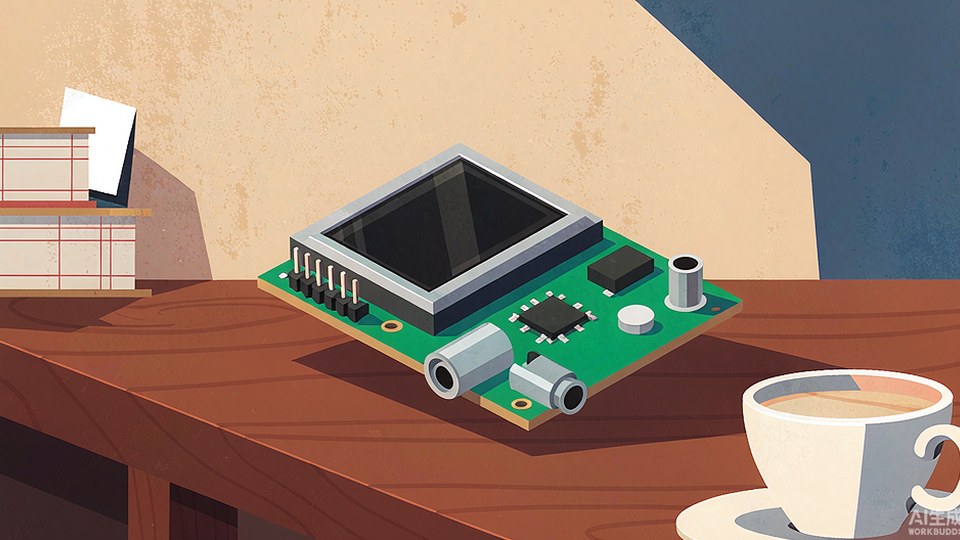
Last week in an open-source hardware community I found a board, the Waveshare ESP32-S3-ePaper-3.97. Its official description calls it an AI voice-interaction development board: on-board microphone, audio codec, amplifier, temperature and humidity sensor, six-axis gyroscope and RTC clock. The screen line takes only one row: a 3.97-inch e-ink display at 800 by 480. I stared at that line for a while. 3.97 inches, 800 by 480, black and white, always on with no power draw. Is that not the size and resolution of a pocket book? Yet in the official demo the screen does one thing: show a line of Listening, waiting for you to speak.
The community firmware that fixes it
In Waveshare's documentation, under related resources, they list a community project, CrossMux, an e-reader firmware built on CrossPoint Reader, with Chinese reading support, an app centre and several standby screens. CrossPoint Reader is an overseas project under the MIT licence that writes reading firmware for e-ink devices and has more than seven thousand stars on GitHub. It originally supported only two vendors and had almost no Chinese support. CrossMux is a fork by a Chinese developer, 0x1abin, that treats Chinese as a first-class citizen: built-in Chinese fallback fonts at 8, 10 and 12 point, CJK line breaking that avoids broken characters, fonts loaded from the SD card, a browser font-conversion tool, 33 languages, and added WeChat Reading with QR login, bookshelf, EPUB download and progress sync.
What it can do after flashing
EPUB 2 and 3 are parsed with the book's own CSS applied, and chapter data is cached to the SD card on first open. Text is justified, footnotes are tappable, the table of contents jumps, and the reading position survives a restart. Besides EPUB it reads txt, xtc and bmp. Transfer is easy: over Wi-Fi the device runs an HTTP upload server, and you drag an EPUB into the browser; it also supports a Calibre plugin, OPDS, WebDAV and over-the-air firmware update. The standby screen can be a fixed image, the current book cover, or a random image from the SD card, plus a hand-drawn digital clock and a Chinese almanac with lunar date and solar terms.
What is actually on the board
The board carries an ESP32-S3R8 dual-core chip at 240 MHz, 16 MB flash and 8 MB PSRAM, a 3.97-inch SSD1677 e-ink screen at 800 by 480, a Micro SD slot, a TG28 power chip compatible with AXP2101, an ES8311 codec with an NS4150B amplifier and speaker, an SHTC3 sensor, a QMI8658 six-axis module and a PCF85063A RTC.
Measured by the author on 28 October: first screen 1682 milliseconds, full refresh 505 milliseconds, and page turns use partial refresh, which is much faster than a full refresh.
What it costs
The board appears as three SKUs on one e-commerce listing. The real prices after coupon are 188 CNY without a battery, 196 CNY with a battery, and 255 CNY for a kit that adds the battery, an SD card and a speaker. The author recommends the 255 CNY kit, because the board uses an MX1.25 battery connector and an MX1.25 speaker connector, and sourcing those yourself often costs more in shipping than in parts. The SD card is mandatory: books, fonts and chapter caches all live on it.
Flashing in six steps
First, back up the factory firmware. This step cannot be skipped. Use esptool to read the full 16 MB flash and store the SHA-256 checksum somewhere off the device. The backup is your only way back if something goes wrong.
Second, download the firmware. From the CrossMux GitHub Releases, pick the nightly build named crossmux-version-waveshare-epaper-397. The firmware is packaged per device, and this board's slug is waveshare-epaper-397, not X3 or X4.
Third, enter download mode. Hold the side BOOT key, plug in the USB cable, then release. The computer will see a serial port.
Fourth, flash. The easy way is to open the Flash Firmware page in Chrome or Edge and use WebSerial, with no driver to install. The reliable way is the command line with esptool version 4.8.1.
Fifth, insert the card. Format the SD card as FAT32 and put the font files and books on it. The board boots without a card, but it cannot read books, because the caches and fonts are on the card.
Sixth, choose the language on first boot. Pick Simplified Chinese, and the content region switches to the domestic one, where the WeChat Reading icon appears.
Six pitfalls, all found by testing
Use esptool 4.8.1, not 5.3.0, which stalls at 7.6 percent at both 460800 and 921600 baud. This board has only a nightly release, no stable one. After the firmware, only 248 KB of flash remains free, so do not try to add anything else. The side Power key cannot wake deep sleep, because it is wired to the power-chip interrupt pin rather than an RTC GPIO, so only the wheel keys wake the board. The first open of a new book is slow, because it parses the EPUB and writes the chapter cache, but later opens are quick. Ghosting after many page turns is cleared by holding the wheel centre key for a full refresh.
What it can and cannot do
It can read Chinese EPUB and txt, transfer books over Wi-Fi, sync progress with KOReader, use WeChat Reading, show weather and a clock, and play a few small games. It cannot read PDF, show colour, play video, or run Android apps. It is an experiment target, and audio quality and battery life are listed by the author as not yet verified.
Is it worth it
A 255 CNY kit plus about half an hour of no-code flashing gets you a Chinese e-reader with physical buttons and an always-on screen, and throws in a thermometer, an almanac and a few games. The cost is that you do the work yourself: back up, download, enter download mode, flash, insert the card, choose the language. It suits someone who already owns an e-reader but finds the system closed, or who wants a small always-on desktop screen, or who wanted to play with an ESP32-S3 but not from the blinking-LED stage.
Source: Hardcore Electronics DIY (Zhao Hongtao), WeChat, 9 November 2026.