A 100-yuan bedside clock on the E32R35T yellow board: no account, no app, and two egress addresses you can check yourself
Bedside clocks have spent the last few years getting smarter in the wrong direction. Weather, white noise, speaker pairing — all of it conditional on an account, an app, and a consent screen nobody reads. For a device whose entire job is to make noise in one room at 06:30, that is an unusual set of requirements.
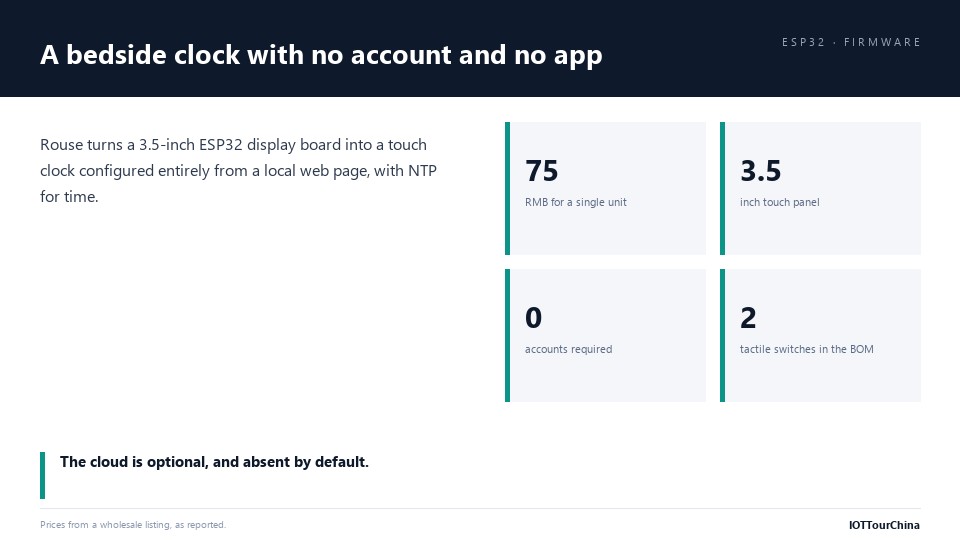
Rouse is firmware aimed at that specific irritation. Flash it onto a 3.5-inch ESP32 display board, plug in USB, and the board becomes a touch-screen clock with a local web console. No account, no app, no cloud.
Two disclosures come before anything else, and they are the kind that decide whether you want it.
It is free, but not open source. The project site states plainly that installation and use are free, but that this is not an open-source project: redistribution and resale are not permitted, and you cannot compile it yourself or modify the code. So this is not a platform to build on — it is a finished product you assemble.
The interface is English-only. Clock face, settings pages, manual. There is no language switch.
The "no network" claim, and how to falsify it
Plenty of projects describe themselves as local-first and then quietly phone home. Rouse reduces its egress to two endpoints: NTP for time, and Open-Meteo for weather, which is free and needs no API key. Beyond those, the project claims, nothing leaves the local network.
The author's point is that this is not a marketing statement but a testable one. Log into the router, look at the connection log for that device, and there should be exactly two destinations: a time server and a weather service. For a device advertised as offline, that is the only verification worth accepting.
Two supporting details matter for the same reason. The settings page can be PIN-protected, so a housemate cannot delete your alarms by accident. And firmware updates are initiated from the browser — the clock does not update itself overnight.
What the yellow board actually is
The build targets the E32R35T: 3.5 inches, 320×480, ST7796 display driver, XPT2046 resistive touch, ESP32-WROOM-32E as the host. The board already carries the connectors most projects end up soldering: speaker, battery, TF card, USB-C, plus I2C and SPI headers. In English-language forums this family is known as the Cheap Yellow Display, which is an accurate name.
Pricing is equally plain: about 75 yuan for a single unit from a wholesale platform, 75 to 99 for versions bundled with an acrylic case and stylus.
The board choice is where the money should not be saved. Rouse supports exactly three: this E32R35T, Freenove's FNK0104N, and Waveshare's ESP32-S3-Touch-LCD-3.5. The 2.8-inch yellow board that is both more common and about half the price in China is not on the list — people have flashed it and got a black screen, and the author confirmed in comments that the display driver differs, so it is not a software problem.
The differences between the three supported boards are practical rather than cosmetic. The CYD is resistive: stylus or fingernail, and only three photo slots. The Freenove and Waveshare boards are capacitive, work with a finger, and hold 64 photos. The Waveshare unit ships with a case and speaker, and supports tap-to-snooze on the case itself, at roughly double the price.
Assembly is short
The bill of materials is almost comically brief: the board, one 28×28 mm 8 Ω 2 W speaker with a 1.25 mm plug, two 6×6×8 mm tactile switches, four M2.5×6 and two M3×8 screws, four 8 mm anti-slip pads, one 22 AWG wire, and about 100 g of PLA.
The enclosure is open and the print settings are specified tightly: 0.2 mm layers, three walls, 15 per cent infill, ten plates, with supports needed only above the USB opening and at the front edge of the snooze bar. No printer means a print service at 30–50 yuan for 100 g, or no case at all — the acrylic shell bundled with the board works, less attractively.
Only two steps involve a soldering iron or wiring. First, wire the two tactile switches together leg-to-leg, take 3.3 V and GND from the four-pin header, and run the signal line to IO32. Second, plug the speaker into SPEAKER and the battery into BAT. The manual bolds one warning: the battery's red wire goes to positive, and reversing it can destroy the board.
Flashing and provisioning are simpler than expected. Open the web flasher in Chrome or Edge, pick the board type and serial port, press Install, and wait about a minute. If it reports a failure to connect, hold BOOT, tap RESET, release BOOT and retry; some boards on Windows need the CH340 driver first. Provisioning works through the board's own open hotspot — connect to Rouse-XXXX, browse to 192.168.4.1, pick your network. It only accepts 2.4 GHz.
Five ways it goes wrong
The project's troubleshooting list is good, and the author reordered it by likelihood: wrong board type produces a black screen; wrong colours are fixed by the Invert, Swap red and blue, and Rotate 180° switches rather than by reworking solder joints; resistive touch needs the calibration routine in the menu; an unresponsive snooze bar usually means the Snooze button is disabled in Settings → Hardware, or that the leg-to-leg jumper between the two switches is on the wrong pins; and a case that will not close is almost always a battery or speaker wire trapped underneath.
The software is the actual product
The hardware is the entry ticket. What holds attention is the web console: browse to rouse.local from a phone and you get four tabs — display, alarms, sound, settings — plus a live clock-face preview. On iOS, "Add to Home Screen" makes it behave like an app.
Ten alarms, each with its own weekday selection, ringtone, volume and snooze duration. Default snooze is 9 minutes; stopping requires a one-second long press, specifically so that a half-asleep swipe does not dismiss it, and it can be changed to a single tap. Unattended, it stops after 15 minutes. For gentler waking there is a 30-second volume ramp, or a sunrise mode that brightens the screen over the 15 minutes before the alarm.
Seven built-in themes can be duplicated and edited — font colour, background — up to ten. Eight ringtones, plus white noise, rain, waves and a sleep timer. Between 22:00 and 06:30 it switches to a night theme and dims automatically; tapping the screen brings it back for ten seconds.
One CYD-specific weakness is worth stating: this panel does not dim as far as the Freenove or Waveshare boards, so in a fully dark bedroom there is still some glow. Minimum night brightness plus the built-in Night theme is the mitigation.
The arithmetic
Board at 75, speaker about 5, switches about 1, screws and pads about 2, PLA 15–25 printed yourself or 30–50 outsourced. Around 100 yuan without a battery and printing it yourself; about 120 with a 1100 mAh cell that keeps time through a power cut; add 30–50 if a print service makes the case.
Against 200–500 yuan for a smart alarm clock with a screen and an account requirement, this one does less: no voice assistant, no music library, no speaker integration. What it offers instead is that every yuan is traceable, and the device's behaviour is inspectable.
The author is equally direct about who should skip it: no Chinese interface exists; no voice control or music playback; and without a printer or a print service, assembly stalls.
Why this is on an IoT site
The interesting claim is not the price. It is that a consumer device's network behaviour can be reduced to an enumerable list and then audited by the owner with tools they already have. That is a design property, not a feature — and it is testable in a way that most "privacy-first" product pages are not.
The counterweight is equally worth noting for anyone thinking of building on it: free-but-closed firmware means you inherit someone else's decisions with no ability to change them. Rouse is a good example of a device you can verify, and a bad candidate for a platform you want to extend.