A full-screen bitmap is 112.5 KB: showing images on an ST7789 with Arduino_GFX
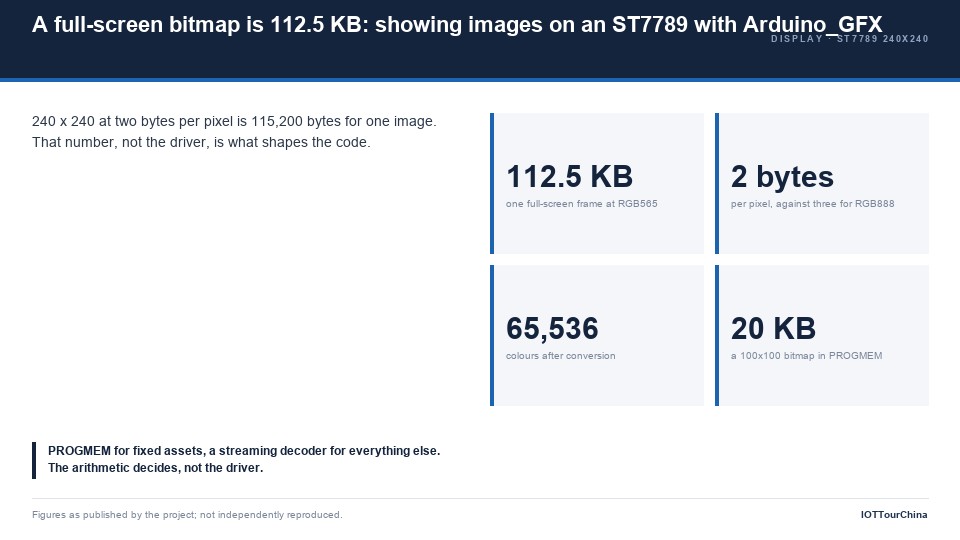
Displaying a picture on a small TFT is the point where a beginner's display code stops being a driver problem and becomes a memory problem. A 240 × 240 panel at 16 bits per pixel is 115,200 bytes for one full-screen image. That does not fit comfortably in the RAM of the microcontroller driving it, and it will not fit at all if you want four of them.
This walkthrough, part four of a Chinese ESP32 course, works through both routes: a bitmap compiled into flash, and a PNG read from an SD card at runtime.
Why RGB565 and not RGB888
The panel in the tutorial is an ST7789 at 240 × 240. Standard colour is 8 bits each for red, green and blue — RGB888, three bytes per pixel, 16.7 million colours. The display format used in practice is RGB565:
| Channel | Bits | Range | Reason |
|---|---|---|---|
| Red | 5 | 0 – 31 | fewer bits, less traffic |
| Green | 6 | 0 – 63 | the eye resolves green most finely |
| Blue | 5 | 0 – 31 | matches red |
Sixteen bits per pixel means 65,536 colours and two bytes instead of three. The conversion is a shift, not a lookup: pure blue RGB888 (0, 0, 255) becomes B5 = 255 >> 3 = 31, and the packed word is 0 << 11 | 0 << 5 | 31 = 31. The banding is real but invisible at this size, and halving the bytes matters more than the missing colours when everything is fetched over SPI.
Route one: the bitmap in flash
Converting an image to a C array by hand is not viable, and the tutorial points at a browser tool that takes a PNG, resizes it, converts to RGB565 and emits a const array. The number to plan around is the output size: a 100 × 100 image is 10,000 pixels × 2 bytes = 20 KB of array, and a full-screen 240 × 240 image is 112.5 KB.
The declaration carries one keyword that decides whether the sketch runs at all:
const uint16_t PROGMEM logo_bmp[] = { /* ... */ };
PROGMEM keeps the array in flash rather than copying it into RAM at startup. On a part with a few hundred kilobytes of RAM this is the difference between a working sketch and a linker error. The width and height macros must match the conversion exactly, because the drawing call trusts them:
#define LOGO_W 100
#define LOGO_H 100

gfx->fillScreen(BLACK);
gfx->draw16bitRGBBitmap(70, 70, logo_bmp, LOGO_W, LOGO_H);
Seventy pixels in from each edge centres a 100 px image on a 240 px panel — worth checking, because an off-by-one here looks like a rendering bug rather than an arithmetic one.
Route two: PNG from SD at runtime
Compiling images in does not scale past a handful, and changing one means a rebuild. The second route copies PNGs to an SD card and decodes them on demand with the PNGdec library, which needs roughly 48 KB of RAM and streams the file line by line rather than loading the whole image.
The integration is four file callbacks — open, close, read, seek — plus a draw callback that the decoder calls once per row:
void PNGDraw(PNGDRAW *pDraw) {
  png.getLineAsRGB565(pDraw, pngPixels, PNG_RGB565_LITTLE_ENDIAN, 0x00000000);
  png.getAlphaMask(pDraw, pngMask, 1);
  gfx->draw16bitRGBBitmapWithMask(xOffset, yOffset + pDraw->y,
                                  pngPixels, pngMask, pDraw->iWidth, 1);
}
Two details are easy to get wrong. The row buffer must be at least as wide as the image — the tutorial fixes MAX_PNG_WIDTH at 240 and rejects anything wider rather than overflowing. And the destination offset is calculated per image with (gfx->width() - imageWidth) / 2, which is where an unguarded width check becomes a memory bug.
Handling alpha separately through getAlphaMask and draw16bitRGBBitmapWithMask is what lets a PNG with transparency sit on a black background without a box around it.
What the exercise leaves you with
The lesson ends by cycling four PNGs on button A, with debounce, and that is a fair stopping point because it exercises the full path: storage, decode, per-row blit, and input.
The transferable part is the sizing arithmetic. Any bitmap route on a small display is a budget: 240 × 240 × 2 bytes is 112.5 KB whether it comes from flash or from a card, and the only question is where it is stored and how much of it must be in RAM at once. PROGMEM answers that for fixed assets; streaming decoders answer it for everything else.
Source: a Chinese-language ESP32 course episode; panel is ST7789 240 × 240 (1.54 in IPS), graphics via Arduino_GFX.