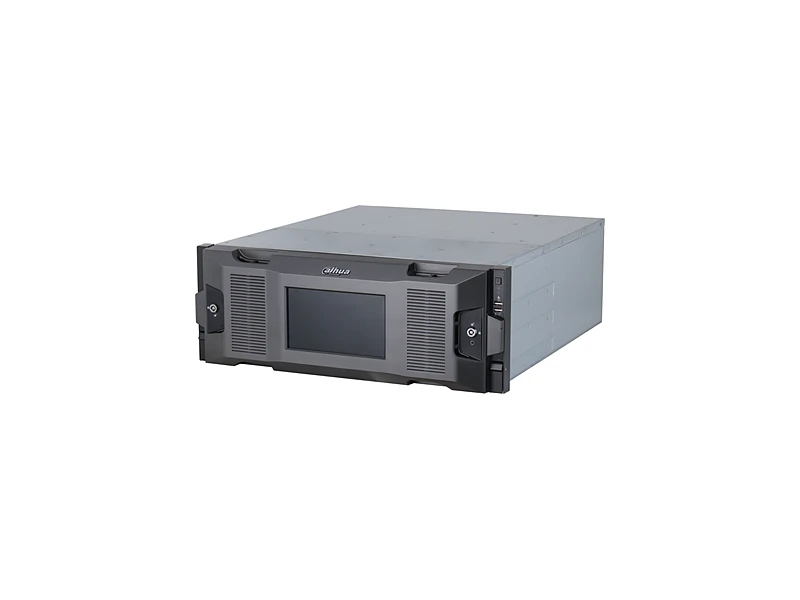
AI Network Video Recorders
Dahua IVSS7124 24-bay AI servers
Three 4U servers with 24 bays and 256 channels, carrying eight or sixteen AI cards and one or two power supplies.
Capabilities below are vendor-documented. We have not tested this device or its integrations.
Sources checked:
Also known as: IVSS7124, IVSS7124DR, 24-bay intelligent video surveillance server
Suitable projects
- City or campus projects that need one chassis to hold a month of retention and all analytics.
- Sites planning a cluster, where the DR models supply the second power feed a rack expects.
- Deployments where 256 channels of analysis have to run without adding a separate server.
Before you buy
- The models appear on the UK site but not in the global English sitemap, so availability outside the UK should be confirmed with a distributor.
- The 7124-16I and the DR-16I publish identical figures apart from the second power supply, which makes the DR the one to quote unless rack power is single-feed.
- Sixteen cards at full load draw 420 W with drives, and the manual rates the family for 45 C, not the 55 C of the IVSS51.
- The 10G network module is an accessory, so the four on-board RJ-45 ports are gigabit only as shipped.
Official resources
- DHI-IVSS7124DR-16I datasheet, September 2026
- DHI-IVSS7124DR-8I datasheet, September 2026
- DHI-IVSS7124-16I datasheet, September 2026
- IVSS71 series product page, UK site
Related guides
- Channels
- 256 on all three models
- AI cards
- Eight on the DR-8I, sixteen on the 7124-16I and the DR-16I
- Redundancy
- DR means two power supplies; the plain 7124-16I ships with one
- Bandwidth
- 768 Mbps in, out and to disk on every model
- Storage
- 24 bays, 20 TB per drive, hot swap, RAID 0/1/5/6/10/50/60
- Expansion
- Optional NIC-EVS71-10G network card module
- Power
- 420 W with all drives fitted, 150 W without
- Weight
- 23 kg net, 4U rack
- Working temperature
- 0 to 45 C
Choosing an IVSS7124 server
The 24-bay member of the IVSS71 family exists for one reason: retention. Everything else about it is the same analytics engine as the smaller chassis, multiplied.
This profile is based on official documentation, not our own device testing.
Three models, two decisions
| Model | Channels | AI cards | Power supplies | Bays | Bandwidth |
|---|---|---|---|---|---|
| DHI-IVSS7124-16I | 256 | 16 | 1 | 24 | 768 Mbps |
| DHI-IVSS7124DR-8I | 256 | 8 | 2 | 24 | 768 Mbps |
| DHI-IVSS7124DR-16I | 256 | 16 | 2 | 24 | 768 Mbps |
The first decision is card count, which sets analysis capacity at 16 channels per card: 128 channels on the DR-8I and 256 on the two sixteen-card builds. The second is power: DR means two supplies, and the plain 7124-16I has one.
Nothing else separates the 7124-16I from the DR-16I on paper. Same 4U chassis, same 24 bays, same 420 W with drives, same 23 kg, same 0 to 45 C. If the rack has dual feeds, the DR is the only sensible order; if it does not, the DR is paying for hardware that cannot be used.
The arithmetic at the top of the range
Sixteen cards at 16 channels each is 256 analysed channels, which exactly matches the 256 inputs. This is the only chassis in the family where every input can be analysed, and it is also the point where the AI card ceiling becomes the channel ceiling.
That also means there is no headroom. A site that expects to grow from 200 to 300 cameras cannot solve it by adding cards to this box, and the next step is a second chassis rather than an upgrade.
Why 24 bays matters
At 20 TB per drive, 24 bays is 480 TB raw. With RAID 6 the usable figure is roughly 440 TB, which at 4 Mbps per camera and 30 days is a few hundred cameras of retention. The point of the model is that recording and analytics share one chassis instead of a recorder plus an analytics server.
The cost is physical: 4U, 23 kg net, 420 W with drives at full card count, and an operating range of 0 to 45 C. This is a data room device.
The 10G module
The ordering information lists NIC-EVS71-10G as an accessory, described as a non-standard network card module. The chassis ships with four gigabit RJ-45 ports, so 256 cameras at high bitrate have to be planned around gigabit uplinks unless the module is ordered.
Whether the four ports can be aggregated for recording and separated for management is a configuration question the datasheet does not answer. The interface does offer multi-address mode, load balance, fault tolerance and link aggregation on the IVSS71 family, which suggests at least one of those is possible.
Availability
These three models appear on the UK site and are not in the global English sitemap. That does not mean they are UK-only, but it does mean the global catalogue does not list them, and a buyer outside the UK should confirm availability and lead time rather than assume the model is stocked locally.
The manuals linked from the UK pages are the general IVSS V7.1.0 documents, so the setup procedure is shared with the smaller chassis.
Pick this series when
- Retention and analytics have to live in one 4U chassis.
- Every camera needs analytics, which is the DR-16I at 256 of 256.
- The rack has dual power feeds and the project expects to use them.
- Fibre or 10G uplink is planned, with the NIC module ordered at the same time.
Do not pick it when
- 128 analysed channels are enough, in which case the smaller IVSS71 chassis costs less in power, space and weight.
- The site expects to grow past 256 channels on the same box.
- The room is not held between 0 and 45 C.
What we could not verify
Whether the DR suffix changes anything beyond the second power supply. The datasheets are otherwise identical line for line, including weight, which is unusual when a second supply is fitted.
No installation manual specific to the 24-bay chassis was read. The IVSS V7.1.0 manual covers the family, and it does not describe drive-carrier or backplane differences between 8, 16 and 24 bay units.
No price is published.
Getting an IVSS7124 server running
The setup procedure is the one in the Dahua IVSS User Manual V7.1.0, which covers the whole IVSS family. What is different here is storage, weight and power, so this page concentrates on those.
We did not run these steps on a device.
Plan the rack before the software
A 24-bay unit is 4U, 23 kg without drives and 420 W with drives at full card count. Two people or a lift, and a rail kit, not a shelf.
Drives are SATA up to 20 TB. The bay count is what the model is for, so decide the RAID level first: RAID 6 with two parity drives gives 22 usable bays, RAID 5 gives 23, and both are supported along with 0, 1, 10, 50 and 60.
Power
The DR models take two inputs at 100 to 127 or 200 to 240 VAC, 5 or 2.5 A, and the plain 7124-16I takes one. Connect both feeds on a DR unit before the first boot, because the point of the second supply is to be there when the first fails, not to be added later.
Network
Four gigabit RJ-45 ports, with default addresses 192.168.1.108 through 192.168.4.108 on ports 1 to 4. Put the laptop on the matching subnet and open the port you are plugged into.
If the project ordered the NIC-EVS71-10G module, fit it before the storage build so the interface comes up with the rest of the configuration rather than after commissioning.
Initialization
There is no default login. The first visit sets the region, time zone, licence acceptance and admin password under the 8 to 32 character, two-character-class policy. Then follow the wizard through camera addition, RAID and disk groups.
The wizard offers RAID and hot standby as part of the initial setup. Taking that route saves a second pass through the storage menu.
Cards and CPU mode
Under Algorithm, Algorithm Management, AI Module, assign the intelligent analysis engine to the device. In area A0 the CPU can be switched between AI and General, which trades video quality diagnosis and part of the decoding capability for analysis, compression and text search.
With sixteen cards fitted, do this before adding cameras. The per-channel analytics menu only offers what an engine has been assigned to cover.
Cluster
Cluster Service sits under System. The manual states three constraints: the members must be in the same network segment, a DCS server is involved, and a two-member cluster needs a third device to arbitrate the master. A cluster IP is configured as a virtual address on top of the member addresses.
For a 24-bay pair, that arbitration detail is the one that catches projects out: two units alone are not a cluster.
Before handover
Run the security scan under System, Security, Security Status and clear the yellow items. Check the authentication digest algorithm and the login mode, which the manual recommends setting to security rather than compatibility. Confirm that CGI, ONVIF and private protocol are enabled only where the project needs them.
What the manual does not answer
There is no 24-bay specific document. The manual covers IVSS generally, so questions about backplane layout, drive carrier differences between chassis sizes, or the maximum number of drives per RAID group are not answered by anything we read.
Nor does it state whether the 10G module changes the maximum channel or bandwidth figures, which remain quoted as 256 channels and 768 Mbps on every model in the series.
For the protocol surface, read Connecting to a Dahua server.
FAQ — Dahua IVSS7124 servers
What is the difference between the 7124-16I and the 7124DR-16I?
Two power supplies instead of one. Every other published figure is identical: 256 channels, 16 AI cards, 24 bays, 768 Mbps, 420 W, 23 kg, 4U, 0 to 45 C.
What does DR stand for?
The datasheets do not expand the abbreviation. The only difference in the specification is that the power supply line carries a multiplier of two, so redundant power is the practical reading.
How many channels can it analyse?
Sixteen per card. The DR-8I analyses 128 of its 256 inputs and the two sixteen-card models analyse all 256.
Is it available outside the UK?
The three models are listed on the UK site and do not appear in the global English sitemap. Availability elsewhere is a distributor question, and the safest assumption is that it has to be ordered rather than picked from stock.
How much storage does 24 bays give?
480 TB raw at 20 TB per drive, or 440 TB usable in RAID 6 with two parity drives.
Can I add the 10G card later?
NIC-EVS71-10G is listed as an optional module, and nothing in the documents says it is factory-only. Fitting it before the storage build is still the simpler order of work.
Does it cluster?
Yes, through System, Cluster Service under the general IVSS rules: same network segment, a DCS server, and arbitration by a third device when the cluster has only two members.
What temperature does it need?
0 to 45 C, the same as the rest of the IVSS71 family and ten degrees narrower than the IVSS51 series.
Does it come with drives?
No. The datasheets specify the bay count and the supported drive size, not a bundle. Drives, RAID configuration and hot standby are all part of the project.
Is there a price?
Dahua publishes none. The card count is the largest variable, and the DR suffix is the second.